Cipher Review 2026: Is Translayte’s AI Tool Worth It?

By Jia | Digital Marketing Analyst & SaaS Researcher Published: September 2026 | Last Updated: September 8, 2026 | 10 min read
Transparency Notice: This review contains no affiliate links and no sponsored content. Cipher was researched using publicly available pricing pages, product documentation, and press coverage from MultiLingual and Slator. No account was created on the platform and no compensation was received from any party.
About the Author
Jia is a digital marketing analyst and SaaS researcher covering translation technology, document workflow tools, and AI productivity software, focused on helping agencies and service providers evaluate where to invest their software budget.
Introduction
Ever needed a certified document translated and dreaded what would happen to the formatting? That question follows Cipher everywhere in 2026. Launched by Translayte in February 2026, Cipher promises to solve a very specific, very real pain point for translation professionals: getting a translated PDF or scan back without having to manually rebuild the layout afterward.
Cipher has a clear niche — layout-preserving AI translation for Language Service Providers (LSPs) and freelance translators — and a low-friction pricing entry point at $29/month. Whether it delivers on the formatting promise in practice, and how it compares to established machine-translation tools, is what this review breaks down.
What Is Cipher? Platform Origin and Core Purpose
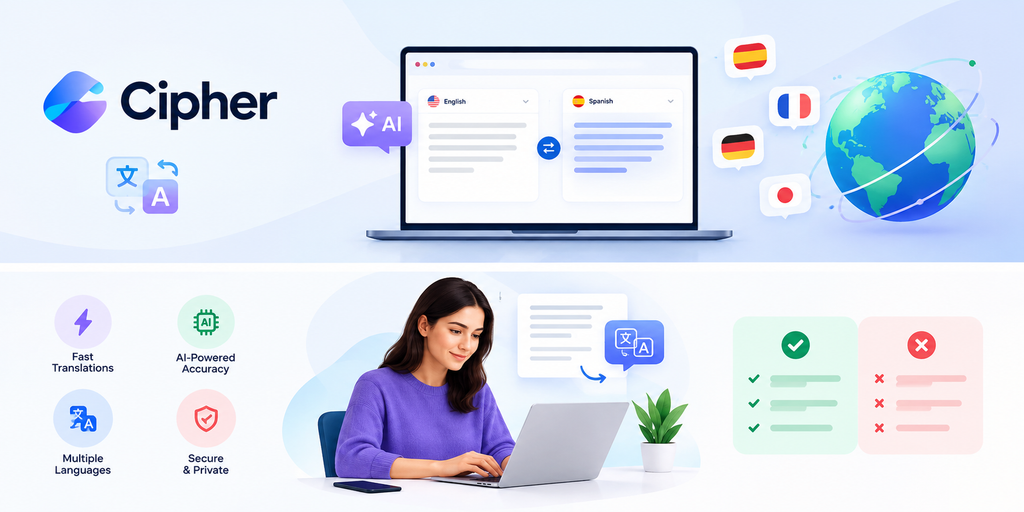
Cipher is Translayte’s AI-powered document translation platform, publicly launched on February 11, 2026. According to Translayte CEO and Founder Tayo Ademolu, the product was built specifically to address a workflow problem: most machine translation and OCR tools handle text-based documents like DOCX or searchable PDFs reasonably well, but struggle with scanned PDFs or images — the exact document types LSPs deal with constantly (personal certificates, manuals, contracts with complex layouts).
Cipher’s stated goal is to eliminate the post-translation desktop publishing (DTP) step — the manual cleanup of tables, multi-column layouts, and visual structure that typically gets scrambled during OCR and translation — so LSPs get a “ready-to-send,” layout-intact translation without a separate DTP pass.
Translayte itself is an established player in certified translation, reporting over 150,000 customers across 160+ countries for its human-translator certified/sworn/notarized translation services. Cipher is Translayte’s newer, self-serve AI product line — distinct from, but built by the same company as, its certified human-translation service.
Is Cipher the Same as Translayte?
This is worth clarifying up front, since the two are easy to conflate. Translayte is the parent company, offering certified, sworn, and notarized human translation services (standard pricing from around $24.99/page for USCIS-style certified translations). Cipher is Translayte’s AI-powered self-serve product, aimed at speed and layout preservation rather than legal certification.
| Feature | Cipher | Translayte (core service) |
|---|---|---|
| Status | Active (launched Feb 2026) | Active, established |
| Model | AI-powered, self-serve, credit-based | Human translators, per-page pricing |
| Ownership | Same parent company | Same parent company |
| Certification | Not certified | Certified/sworn/notarized available |
| Purpose | Fast layout-preserving translation | Legally accepted official translation |
Who Is Cipher For? Target Audience Explained
Cipher is explicitly built for three groups. Language Service Providers (LSPs) and freelance translators get the clearest value — Cipher is designed to remove the DTP bottleneck that eats into project turnaround time. Legal and immigration service providers benefit from layout preservation on documents like certificates and application forms, where formatting and stamp placement matter for acceptance. Teams handling high volumes of formatted documents — HR, compliance, or agency back-offices — use it to cut manual reformatting time across batches of files.
For example, a freelance translator handling a scanned foreign birth certificate gets real time savings from not having to manually rebuild the table layout by hand. A large enterprise localization team with continuous, very high-volume throughput will want to evaluate the credit economics carefully (see pricing below) against dedicated localization platforms.
What Does Cipher Actually Offer?
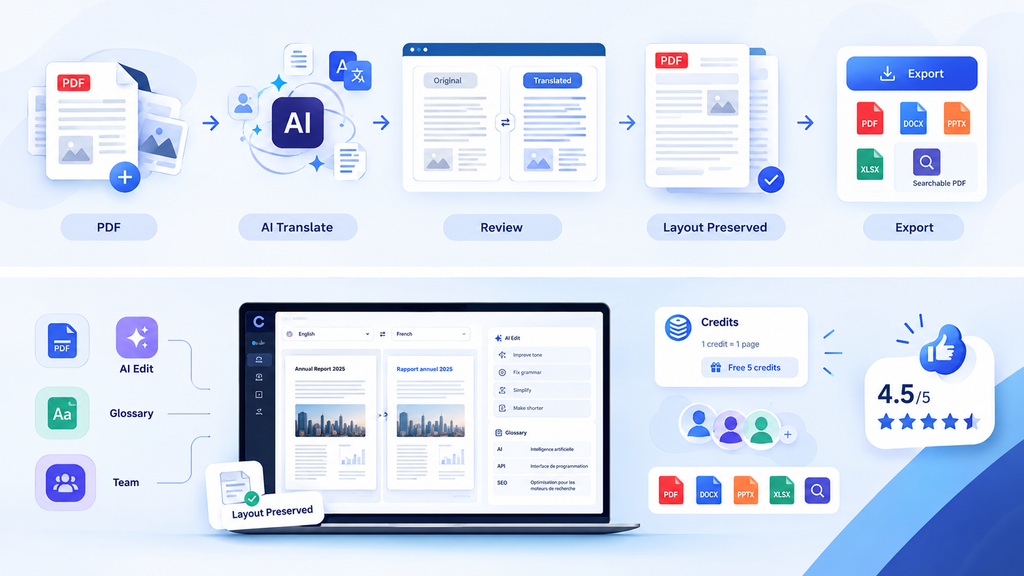
Cipher’s core capabilities center on one thing: translating complex PDFs and images instantly while preserving the original layout. That covers scanned PDFs, image-based documents, and multi-column or table-heavy layouts — the document types Translayte says standard machine translation and OCR tools handle poorly. The target use cases named by Translayte include personal certificates, manuals, and PDFs with complex formatting.
| Feature Area | What Cipher Claims | Notes |
|---|---|---|
| PDF Layout Preservation | Removes need for manual DTP | Core differentiator per launch announcement |
| Scanned Document Translation | Instant translation via OCR + AI | Positioned as the weak spot of competing tools |
| Image Translation | Supported | Aimed at stamps, forms, certificates |
| Team Credit Sharing | Credits shared across team members | Useful for agencies with multiple translators |
| Output quality on real-world jobs | — | Not independently benchmarked as of this writing; worth testing on your own document types before committing budget |
Cipher Pricing and Credit Structure
Plans start at $29/month for 20 credits, with each credit equal to one document page. New users get 5 free credits on signup to test the tool before committing. Credits do not expire and can be shared across team members — a genuinely useful detail for agencies managing usage across multiple projects rather than per-seat.
| Plan | Credits | Price | Est. Cost/Page |
|---|---|---|---|
| Free Trial | 5 | $0 | $0 |
| Starter | 20 | $29/mo | ~$1.45 |
| Higher tiers | Not publicly listed at time of writing | — | — |
Translayte has not published higher-tier or bulk/enterprise credit pricing publicly as of this review — agencies with high-volume needs should request a custom quote directly rather than assume linear scaling from the $29 entry tier.
Is Cipher Safe to Use? Full Safety Analysis
For document confidentiality specifically — which matters a great deal for legal, immigration, and certificate translation — Cipher does not publicly list independent security certifications (e.g., SOC 2) or a detailed data-retention/model-training policy on its public marketing materials as of this writing. That’s not unusual for a product only months past launch, but it’s worth confirming directly with Translayte before uploading sensitive client documents, particularly around whether uploaded files are retained or used to improve the model.
Translayte as a company has an established track record (150,000+ customers, 160+ countries) for its core certified translation business, which is a reasonable trust signal for the parent company — though it doesn’t automatically transfer to Cipher’s newer AI infrastructure and data handling.
Safety Verdict — Quick Breakdown
| User Type | Safety Level | Key Concern |
|---|---|---|
| Casual/general document translation | Likely fine | Standard SaaS due diligence |
| Translation Agencies | Reasonable, verify first | Confirm data retention policy |
| Legal/Immigration Services | Verify before use | Confidentiality of scanned certificates/documents |
| High-Volume Enterprise | Contact sales | No public bulk pricing or SLA published |
Cipher vs Similar Platforms — Honest Comparison
How does Cipher stack up against real competitors? DeepL is the closest well-known comparison — its paid plans start around $8.74/month (Starter), with document translation included but capped by plan (as low as 3–5 documents/month on entry tiers), and it preserves formatting on DOCX/PPTX to a good standard, though it’s built primarily around clean, text-based documents rather than scanned images. DeepL guarantees uploaded text isn’t stored or used for model training on its Pro plans — a concrete data-handling commitment Cipher hasn’t yet published publicly. Enterprise localization platforms like Smartling target broader translation-management workflows (TMS, glossaries, team collaboration) rather than Cipher’s narrow, layout-first focus, and are typically priced on custom/enterprise contracts rather than published tiers. Traditional certified human translation — including Translayte’s own core service — remains the only option where legal certification is required, at roughly $20–$40+ per page depending on provider and document type.
| Platform | Focus | Layout Preservation (scans/images) | Certification | Entry Price |
|---|---|---|---|---|
| Cipher | AI document translation | Strong claim (core differentiator) | No | $29/mo (20 credits) |
| DeepL Pro | General + document translation | Good on DOCX/PPTX; weaker on scans | No | $8.74/mo |
| Smartling | Enterprise localization/TMS | Moderate, workflow-focused | No | Custom/enterprise |
| Translayte (certified) | Certified human translation | N/A (human-formatted) | Yes | ~$24.99+/page |
How to Get Started With Cipher — Step by Step
Based on Translayte’s public description of the product: sign up for an account and claim your 5 free credits. Upload a PDF, scan, or image document. Select source and target languages. Let Cipher process the translation while preserving layout. Review the output and download it, or purchase additional credits once your free trial is used.
| Step | Action | Expected Outcome |
|---|---|---|
| 1 | Sign up | 5 free credits granted |
| 2 | Upload document | PDF, scan, or image accepted |
| 3 | Select languages | Source/target pair chosen |
| 4 | Run translation | Layout-preserved output generated |
| 5 | Review & download | Credits are shareable across team members |
Is Cipher Worth Using? Personal Honest Verdict
Here’s the straight answer. Cipher targets a real, specific problem — the DTP cleanup tax that LSPs and freelance translators pay every time they translate a scanned or image-heavy document — and its pricing (free trial, then $29/mo with non-expiring, team-shareable credits) is low-risk to test. For translation agencies and legal/immigration services dealing with certificates and formatted PDFs, that’s a genuinely useful niche if the layout-preservation claim holds up on your specific document types.
The gaps worth being aware of before relying on it at scale: no publicly listed higher-volume pricing tiers, and no publicly detailed security/data-retention certifications as of this review — both reasonable things to ask Translayte directly before committing sensitive, high-volume, or client-confidential work to the platform.
Frequently Asked Questions About Cipher
What is Cipher?
Cipher is Translayte’s AI-powered document translation platform, launched in February 2026, designed to translate PDFs, scans, and images while preserving the original layout and eliminating manual post-translation formatting cleanup.
How much does Cipher cost?
Plans start at $29/month for 20 credits (1 credit = 1 page), with 5 free credits available on signup. Credits don’t expire and can be shared across a team.
Who is Cipher best suited for?
Language Service Providers (LSPs), freelance translators, legal and immigration service providers, and teams handling high volumes of formatted documents.
Is Cipher the same as Translayte?
No — Translayte is the parent company, known for certified human translation services. Cipher is its newer, self-serve AI-powered translation product.
Does Cipher preserve document formatting?
That’s its core stated differentiator — Translayte built it specifically to remove the manual desktop publishing (DTP) step needed after translating scanned PDFs or complex layouts. Real-world performance on your specific document types is worth testing during the free trial before committing.
What are the best alternatives to Cipher?
DeepL Pro for general and text-based document translation, Smartling for enterprise localization workflows, and Translayte’s own certified human translation service (or comparable providers) for legally certified documents.
Final Thoughts
Cipher isn’t an unproven experiment — it’s a purpose-built product from an established translation company, addressing a specific, well-understood pain point for LSPs and formatted-document-heavy workflows. It’s also not yet a fully independently benchmarked solution — public data on output quality across document types, bulk pricing, and security certifications is limited this early post-launch.
Use it for what it’s built for: fast, layout-preserving translation of scanned PDFs, certificates, and image-based documents, tested first on the free 5-credit trial. Verify directly with Translayte before relying on it for: high-volume enterprise throughput, legally certified translations, or any workflow involving highly sensitive client documents, until pricing and data-handling details are more fully published.