Top 5 Transcription Tools in 2026: A Comparison

TLDR
- Otter.ai is the one to look at if you want to transcribe meetings on Zoom, Google Meet, or Microsoft Teams.
- AudioTranscribe.io is a simple audio transcriber for short, quick jobs.
- VideoTranscribe.ai is a video transcriber that takes video files and YouTube links.
- Todoscribe.com works from social media links and helps you reuse the text.
- Descript lets you edit audio and video by editing the transcript.
- For research, test two tools on one real recording first. Your audio matters more than the brand name.
- No AI transcriber is perfect. Review any text you plan to quote.
Transcription used to mean hours of typing.
Now an AI transcriber writes the first draft in minutes.
But these tools are not the same. Some focus on meetings. Some focus on editing. Some only turn a file into text.
This guide compares five transcription tools in plain words, so you can pick one without wasting a week.
What Is Transcription?
Transcription means turning spoken words into written text.
A person can do it by listening and typing. Software can do it too. When software does it, it uses automatic speech recognition, also called ASR.
There are three common types:
- Human transcription: a person types or checks the text. It costs more and takes longer. It suits legal and high stakes work.
- AI transcription: software writes the text. It is fast and cheap, but it needs a quick review.
- Hybrid transcription: AI writes the first draft and a person fixes it.
A good transcript also has speaker labels, so you know who said what. It has timestamps, so you can jump back to the exact moment in the recording.
According to Precedence Research, the AI speech to text market is worth about 3.87 billion US dollars in 2026. It expects the market to reach 16.42 billion by 2035.
The same report expects meetings to be the fastest growing content segment.
Want the basics of the tech? Read our guide on how speech to text works.
Audio Transcriber vs Video Transcriber
An audio transcriber works on sound files like MP3, WAV, and M4A. Think interviews, podcasts, and voice notes.
A video transcriber works on video files or links, like MP4 or a YouTube URL. It pulls the audio from the video and turns it into text.
Many tools do both.
Video tools also tend to export subtitle files such as SRT and VTT. These are the files that put captions on a video.
Need text from a video you found online? See how to transcribe a YouTube video.
How We Compared These Transcription Tools
We looked at the same things for every tool:
- What it can transcribe: audio, video, links, or live meetings
- Speaker labels and timestamps
- Export formats
- Languages
- Pricing and free limits
- Privacy details
- Fit for meetings and for research
We read each tool’s own website and checked it against independent reviews and research in October 2026.
Plans change often. Check the pricing page before you pay for anything.
Quick Comparison Table
| Tool | Best for | What it takes | Free option | Standout feature | Main limit |
| Otter.ai | Meetings | Live calls and uploaded files | 300 minutes a month | Searchable transcripts and summaries | Limits on file imports and length |
| AudioTranscribe.io | Quick audio jobs | MP3, WAV, M4A | Listed as free | Simple upload and export | No published limits or accuracy data |
| VideoTranscribe.ai | Video files and YouTube links | MP4, MOV, YouTube links | Listed as free | Timestamps and speaker labels, per the site | No published limits |
| Todoscribe.com | Social video and podcasts | Links and file uploads | 5 videos a month | Turns transcripts into posts | Built more for creators than researchers |
| Descript | Editing audio and video | Audio and video uploads | About 60 media minutes a month | Edit media by editing text | More than you need for plain transcripts |
1. Otter.ai
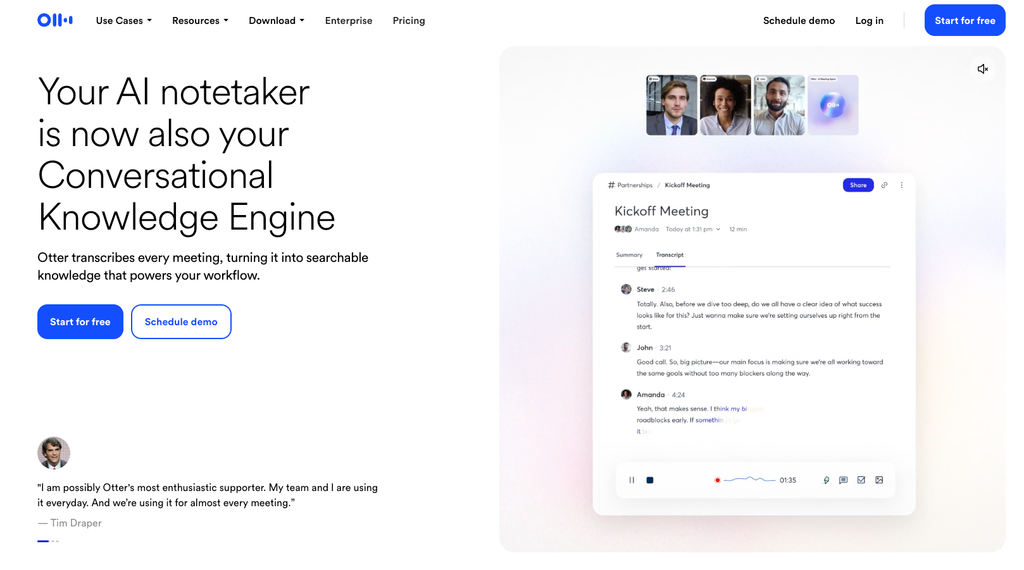
Otter is an AI transcriber built around meetings.
It joins Zoom, Google Meet, and Microsoft Teams calls and writes the transcript live.
You get speaker labels and summaries. You also get keyword search across all your transcripts.
That search is why many people stay with it. Type a word and jump to that moment in the recording.
Best for: people who need to transcribe meetings every week.
Pros
- Live transcripts during calls
- Search across a full library of conversations
- Shared workspaces for teams
Cons
- Accuracy drops with heavy background noise and some accents
- The free plan caps each conversation at 30 minutes
- Lower plans limit file imports
- Not made for certified legal transcripts
Pricing: The free plan gives 300 minutes a month. Paid plans start at about $8.33 per user per month on yearly billing.
Comparing more options? Read our roundup of AI meeting assistants.
2. AudioTranscribe.io
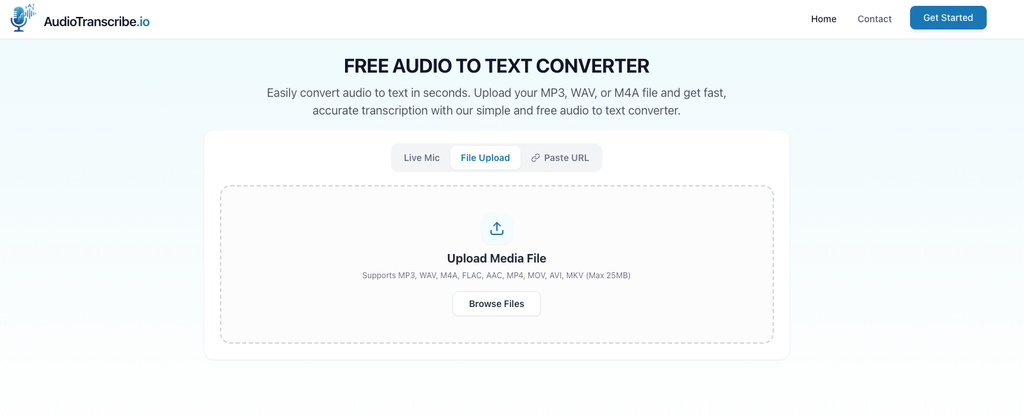
AudioTranscribe.io is an audio transcriber that runs in your browser.
You upload an MP3, WAV, or M4A file. You click Transcribe Now. Then you copy or download the text.
The site says you do not need to sign up.
You can export DOCX, TXT, SRT, and VTT files. It works on phones, tablets, and computers.
On privacy, the site says files are processed on secure servers and deleted automatically after you leave the website.
One thing to know. The main page does not list file size limits, supported languages, or accuracy tests.
So run a short sample first.
Best for: quick jobs like a voice note, a lecture clip, or a short interview.
Pros
- Nothing to install
- Very simple steps
- Subtitle exports
Cons
- The site does not mention speaker labels or summaries
- No published limits
- Read the privacy terms before you upload sensitive audio
Pricing: Listed as free.
3. VideoTranscribe.ai
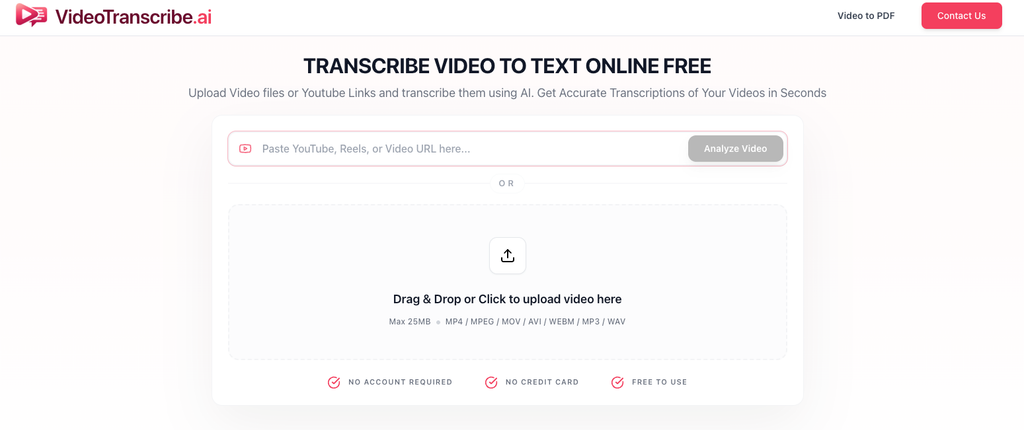
VideoTranscribe.ai is a video transcriber.
You upload a video file or paste a YouTube link. You click Transcribe Now. Then you copy or download the result.
The site says it creates transcripts with timestamps and speaker labels. It lists formats like MP4 and MOV, and exports to TXT, SRT, and DOCX.
It also says you can upload a Zoom recording.
The site notes that clear audio gives the best results. That is true for every tool here.
Best for: lectures, webinars, and YouTube videos where you need captions or notes.
Pros
- Takes both files and links
- Timestamps and speaker labels, according to the site
- Caption ready exports
Cons
- The main page does not list limits or supported languages
- It works on recordings, so you upload after the call
- Accuracy claims have no public test behind them
Pricing: Listed as free.
4. Todoscribe.com
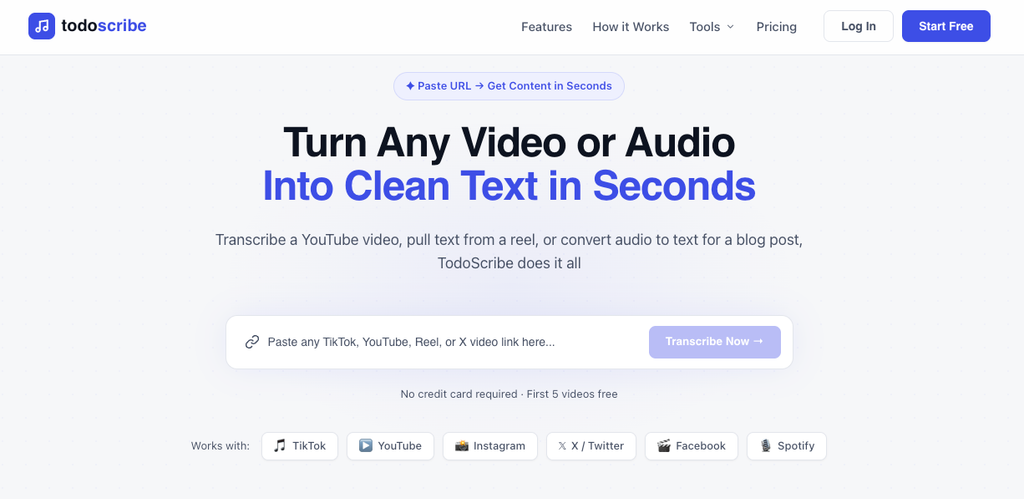
Todoscribe works from links.
Paste a public link from YouTube, TikTok, Instagram, Facebook, X, or Spotify. Or upload a file.
It takes MP3, WAV, AAC, and FLAC for audio. It takes MP4, MOV, and AVI for video.
The site lists speaker detection and more than 40 languages. It exports TXT, DOCX, SRT, and VTT, and it can send text to Notion.
It can also turn a transcript into a blog post, a newsletter, or a social post.
The site claims 98 percent accuracy on clear audio. That is the company’s own number, so test it yourself.
Best for: creators, marketers, and agencies who reuse video content.
Pros
- Link based, so no downloading first
- Works with many platforms
- Batch processing of up to 20 videos on the Pro plan
Cons
- The free plan covers 5 videos a month, transcript only, for YouTube and TikTok
- The site focuses on content creation, not research analysis
- A link does not give you the rights to reuse someone else’s content
Pricing: Free plan. Pro is $19 a month for 200 videos. Agency is $79 a month with 10 seats.
5. Descript
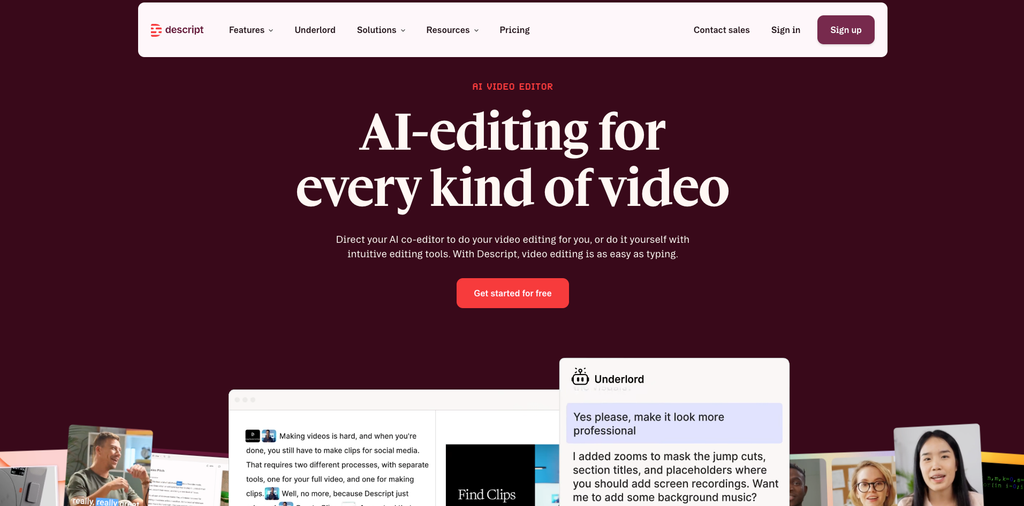
Descript is an editor with transcription at its core.
You upload audio or video and get a transcript. Then you edit the text to edit the media.
Delete a word in the transcript and it disappears from the recording.
It labels speakers automatically. It also exports common formats like SRT, VTT, and TXT.
Accuracy is strong on clean audio.
Best for: podcasters, video teams, and researchers who make edited clips or anonymized highlights.
Pros
- Edit audio and video like a text document
- Audio cleanup tools
- Good results on clean recordings
Cons
- More tool than you need if you only want a plain transcript
- Usage is counted in media minutes and AI credits, which can confuse new users
- Fewer research workflow features than some other tools
Pricing: The free plan gives about 60 media minutes a month. The Hobbyist plan is about $16 a month on yearly billing.
Also making videos? See our guide to free AI video generators.
Transcription for Research
Research transcripts have a higher bar.
You will quote them. You will code them. You may share them with a team.
According to CleverX, transcribing a one hour interview by hand takes 3 to 5 hours. It also reports that AI tools can reach 90 to 97 percent word accuracy when the audio is clean and one person speaks clearly.
Real sessions are rarely that clean.
So check these five things before you pick a tool:
- Accuracy on your own audio. Test a 5 minute clip from a real session.
- Speaker labels. Groups of three or more people make labeling harder.
- Timestamps. You need them to jump back to the recording.
- Privacy and consent. Did participants agree to AI processing? Check how long the tool keeps files and whether it uses them to train models. Rules like GDPR and CCPA may apply.
- Export formats. Make sure the file fits your analysis tool.
For quotes, always check the text against the recording.
In our read, Otter.ai and Descript offer the most for research workflows. The other three can work for drafts, but read their privacy terms before you upload participant data.
Want to go deeper? Read our interview transcription tips.
How Accurate Are AI Transcribers?
It depends on the audio.
Word error rate, or WER, shows how many words a system gets wrong. Lower is better.
Here is a useful example. OpenAI’s Whisper large v3 is a popular open speech model. Its Hugging Face model card lists a mean WER of 7.44 percent on the Open ASR Leaderboard.
On AMI, a set of recorded meetings, the listed WER is 15.95 percent.
That is one model, not any of the five tools above. But the pattern is clear. Meetings are harder than clean recordings.
Many voices, interruptions, and room noise all add errors.
A few habits help any tool:
- Use a headset or a close microphone
- Record in a quiet room
- Ask people to speak one at a time
- Skip speakerphone when you can
How to Choose the Best AI Transcription Tools for You
Here is a quick way to decide:
- Weekly meetings: start with Otter.ai.
- Edited podcast or video: look at Descript.
- One short audio file: try AudioTranscribe.io.
- Lecture video or YouTube link: try VideoTranscribe.ai.
- Social videos you plan to reuse: try Todoscribe.com.
- Court or legal work: use a human service. AI alone is not enough.
- Sensitive recordings: read the privacy policy first, and get consent.
Take your time with the free plans. Run the same recording through two tools and compare the text side by side.
Curious about the wider category? See our list of AI note taking apps.
FAQs
What is transcription?
Transcription is the process of turning speech into written text. It can be done by a person, by AI, or by both together.
What is the best AI transcriber for meetings?
Among these five, Otter.ai is the one built for live meetings. It joins calls on Zoom, Google Meet, and Microsoft Teams and creates searchable transcripts.
Can I use an AI transcriber for research interviews?
Yes. Test accuracy on your own audio, check speaker labels, and confirm participant consent. Review any passage you quote.
Is there a free audio transcriber?
Yes. AudioTranscribe.io is listed as free. Otter.ai, Descript, and Todoscribe.com also have free plans with limits.
How accurate are AI transcription tools?
On clean audio with one clear speaker, accuracy can reach 90 to 97 percent. Noisy rooms, accents, and many speakers lower it.
Is it safe to upload private recordings?
Check each tool’s privacy policy. Look at how long files are stored and whether they are used to train models. Get consent from the people in the recording.
Can I transcribe a YouTube video?
VideoTranscribe.ai and Todoscribe.com both say they accept YouTube links. Make sure you have the right to use the content.
Final Thoughts
There is no single winner here.
Pick the tool that matches your job. Meetings, edited video, quick audio, and research all need different things.
Test on your own recording, review the text, and protect your participants’ privacy.
That habit will save you more time than any feature list.