How To Evaluate An AI Image-To-Video Tool Before Adding It To Your Workflow

AI image-to-video tools look easy to judge from the outside, but I have learned to be careful with polished demo clips. A landing page can show a perfect product reveal, a smooth portrait animation, or a cinematic camera move, yet the real test begins when I upload my own image and ask the tool to do something specific.
For an AI tools directory, a creator stack, or even a small marketing workflow, the question is not “Can this tool generate motion?” Most tools can do that now. The better question is: can it turn a still image into a usable video without breaking the subject, confusing the scene, or wasting editing time?
That is the standard I use when I evaluate creative AI tools. GoEnhance AI is an online image and video generation and editing platform, and I usually look at platforms like this through a workflow lens rather than a feature-list lens. For example, when I test an AI image to video workflow, I want to know whether a static asset can become several practical short-form video ideas, not just one lucky output.
Why AI Tool Discovery Is Getting Harder
AI tool discovery is harder now because many tools describe themselves with almost the same promises. I see phrases like “cinematic motion,” “one-click video,” “studio-quality output,” and “perfect for creators” so often that they stop meaning much.
The creative AI space has become crowded, which is good for users but difficult for evaluation. A tool may be useful for anime portraits but weak for product images. Another may create beautiful camera movement but fail when a person’s face needs to stay recognizable. A third may work well in a demo but produce unstable results with ordinary user uploads.
When I look at an image-to-video tool, I try not to judge it by the most impressive sample on the homepage. I judge it by repeatability. If five ordinary images can produce four usable outputs, that is a much stronger signal than one perfect showcase clip.
The Main Subject Should Stay Intact
A good AI image-to-video tool should preserve the main subject before it adds any motion. This sounds obvious, but it is where many tools fail.
If I upload a product image, the product shape should not melt. If I upload a portrait, the face should not drift into a different identity. If I upload an anime-style character, the design should not change halfway through the clip. Motion is only valuable when the original asset still feels like itself.
I usually test this with three types of source images:
| Source Image Type | What I Watch Closely | Common Failure |
| Product photo | Shape, logo area, edges, material | Product warps or changes size |
| Portrait | Face structure, hair, expression | Identity shifts during motion |
| Character artwork | Outfit, pose, silhouette, color palette | Design becomes inconsistent |
A tool that cannot hold the subject together may still be fun for experiments, but I would not put it into a serious workflow. For a directory listing or a creator recommendation, consistency should carry more weight than flash.
Motion Needs Direction, Not Just Movement
Good AI video motion should feel intentional, not random. I have seen many clips where everything moves, but nothing feels directed. The background breathes, the camera drifts, the subject floats, and the final result feels busy rather than useful.
When I test motion quality, I usually ask myself a few simple questions. Does the camera move for a reason? Does the subject action match the prompt? Does the first second make sense without a caption? Could this clip fit into a social post, landing page, or ad edit without heavy repair?
This is where smaller details matter. A slow push-in can make a product image feel premium. A slight hair movement can make a portrait feel alive. A clean parallax effect can add depth to an illustration. But if the tool adds exaggerated motion everywhere, the clip quickly becomes noisy.
One Image Should Support More Than One Creative Direction
A useful image-to-video tool should let one static asset become several different video concepts. This is one of the biggest differences between a novelty tool and a practical tool.
In my own testing, I often reuse the same image with several prompts. For a product shot, I may try a luxury reveal, a fast social ad, and a clean studio rotation. For a character image, I may test a close-up, a dramatic camera pullback, and a subtle animated loop. The goal is not to make every output perfect. The goal is to see whether the tool can interpret the same visual asset in different ways.
This matters for creators because most people do not want a single random clip. They want options. A marketer may need three versions for A/B testing. A YouTuber may need one intro clip and one thumbnail animation. A designer may need a concept video for a client presentation.
If a tool only produces one kind of movement, it becomes less useful very quickly.
Small Animation Tasks Deserve Their Own Test
Not every user needs a full AI video scene, so small animation quality deserves its own test. Some of the most useful outputs are simple: a slight zoom, a blinking expression, moving light, drifting background particles, or a gentle camera shift.
This is why I separate “full image-to-video generation” from lighter animation workflows. If the goal is just to animate a picture, the tool should not overcomplicate the result. A profile image, campaign banner, product thumbnail, or anime portrait may only need subtle movement to feel more alive.
Over-animation is a real problem. A still image can become worse when the tool tries too hard. I prefer outputs where the motion supports the asset rather than competing with it.
Output Quality Matters After The Generation
A good AI video output should be edit-ready, not just visually interesting. I use this rule often because a clip can look impressive in isolation and still be hard to use.
For example, if I need to place subtitles on top of the clip, there should be enough clean space. If I want to use it in a product ad, the subject should stay centered. If I want to cut it into a longer video, the motion should not end with a strange jump or awkward freeze.
The most practical tools usually respect these production realities:
| Workflow Need | Why It Matters |
| Stable opening frame | Helps the clip work in feeds and previews |
| Clean subject area | Makes the result easier to crop or resize |
| Predictable motion | Helps with editing and sequencing |
| Usable export quality | Reduces extra repair work |
| Simple prompt control | Makes results easier to repeat |
In tool directories, I would rather see these production details mentioned than another vague promise about “high-quality AI videos.”
Red Flags I Notice When Testing AI Video Tools
The biggest red flag is a tool that looks strong only when the prompt is vague. If a tool can create a nice random clip but struggles with clear direction, it may not be reliable for real users.
Other warning signs show up quickly. Faces change. Product edges bend. Background objects move without logic. The camera zooms too much. The tool ignores prompt details. The output looks fine for two seconds and falls apart near the end.
I also pay attention to how much work is needed after generation. If every clip requires trimming, color correction, stabilization, and masking before it becomes usable, the tool may not be saving as much time as it claims.
My Evaluation Checklist For Image-To-Video Tools
The best AI image-to-video tools are not always the most dramatic ones. The best tools are the ones I can use more than once and still trust.
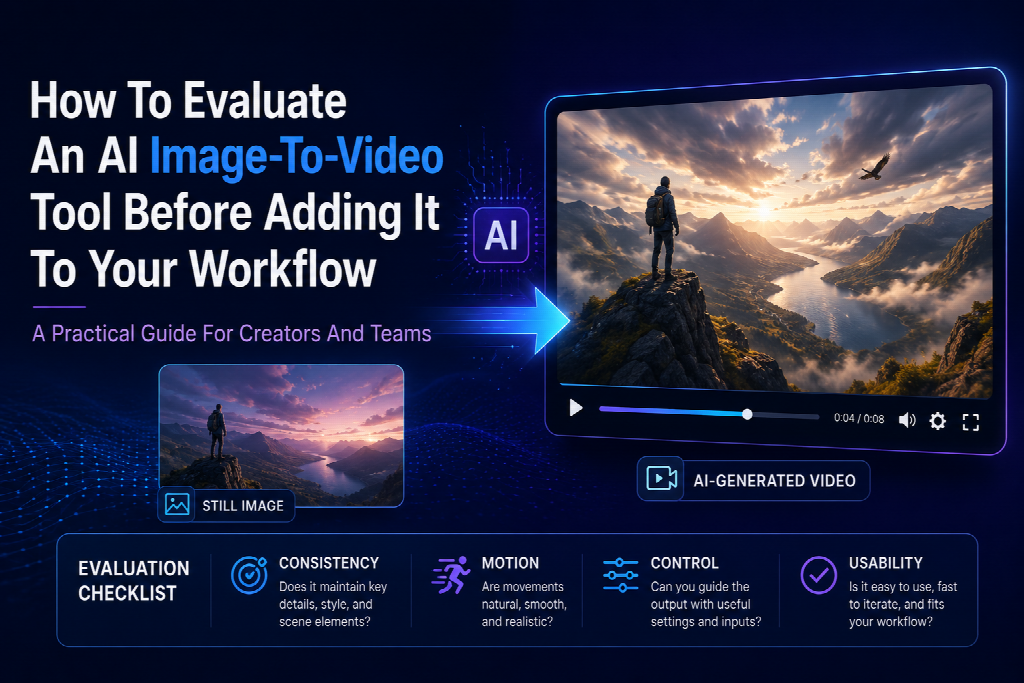
Here is the checklist I would use before adding a tool to a workflow or recommending it in an AI tools directory:
| Evaluation Area | Practical Question |
| Image consistency | Does the subject stay recognizable? |
| Motion control | Does the movement match the prompt? |
| Creative flexibility | Can one image produce multiple useful concepts? |
| Subtle animation | Can the tool handle small motion without overdoing it? |
| Export usability | Can the clip be used in real content? |
| Learning curve | Can a new user get value without a long setup? |
| Repeatability | Do results stay stable across several tests? |
I do not expect every tool to be perfect. AI video is still unpredictable in places. But a tool should be honest about what it does well and consistent enough to earn a spot in a working creative stack.
Final Thoughts
AI image-to-video tools are becoming a serious layer between static design and full video production. That makes evaluation more important, not less.
When I test these tools, I care less about the most cinematic demo and more about the ordinary user case: one image, one clear prompt, one output that can actually be used. If a tool can preserve the source image, create intentional motion, support several creative directions, and export something edit-ready, it is worth paying attention to.
For AI tool directories, that kind of evaluation is also better for readers. People do not need another list of tools with the same description. They need help deciding which tools can survive real creative work.