
How to Make AI Text Undetectable | Clever AI Humanizer Review

Millions of writers use AI tools every day, yet a single detector scan can flag polished, original content before a human ever reads it. The problem is not quality – it is a statistical pattern. This review covers the Clever AI Humanizer platform, walks through a five-step workflow, and presents real benchmark data so you know exactly what to expect.
Why AI Detectors Flag Your Content
You submit a piece of writing. A detector scans it, flags it as AI-generated, and the content gets rejected – even though you wrote every sentence yourself. AI detectors do not read for meaning. They measure two statistical signals: perplexity (how predictable each word is) and burstiness (how much sentence length varies). Because AI models always pick the most probable next token, their output lands in a narrow, uniform statistical band – and that band is exactly what detectors flag.
The decision to make AI text undetectable is no longer only about convenience. False positives are a documented, widespread problem. Recent reporting by The Washington Post highlights serious concerns about detection systems incorrectly flagging human-written content as machine-generated. A student or professional can produce entirely original work and still receive a failed score.
You need a tool that changes the statistical fingerprint of your content before it reaches a reviewer. The next section covers that tool.
What the Clever AI Humanizer Ecosystem Includes
Clever AI Humanizer is a free AI humanizer that covers the full content pipeline inside a single interface, with no ads and no paywalls. If you want to humanize AI text without switching between multiple tools or paying for a subscription, this platform handles every stage in one place.
It gives you four tools. Here is what each one does and when to use it:
- AI Humanizer – the core tool. Paste your draft into the left panel, select a writing style, and click “Humanize AI.” The restructured output appears in the right panel with changed fragments highlighted in blue. The tool accepts up to 1,000 words per run without registration and up to 7,000 words per run with a registration account.
- AI Writer – a free tool that lets you write AI text with humanization built in at the draft stage. You supply a title, a brief description, a content format (Essay, Blog Post, or Article), a writing style, a word count, and a language, then click “Generate & Humanize.” The output arrives with structural humanization already applied, which means it is unlikely to trigger detectors without additional editing.
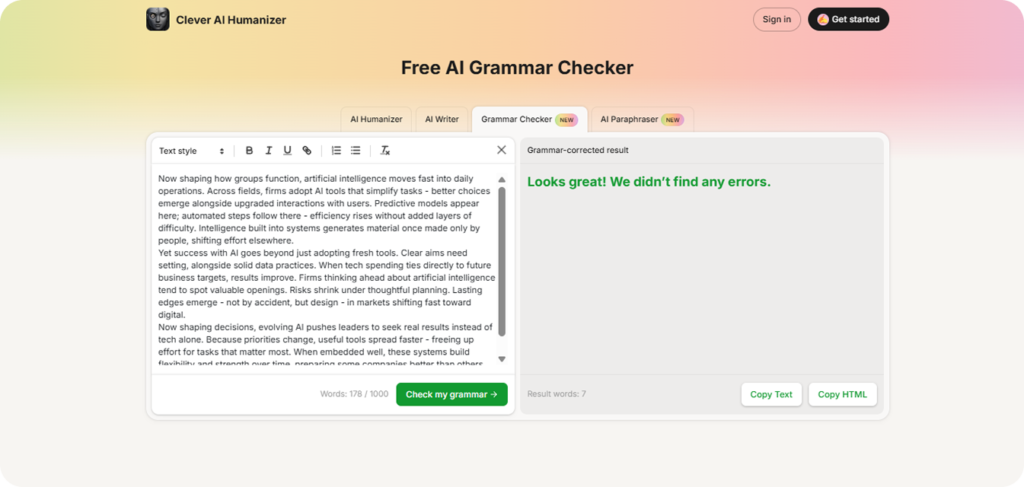
- Grammar Checker – a free tool that identifies and corrects surface-level errors introduced by structural rewrites, without restoring the uniform sentence patterns you already broke. It accepts up to 1,000 words per session without registration and up to 7,000 words per run with registration. Always run it last – after humanization, not before.
- AI Paraphraser – use it to paraphrase your text at the sentence level, with four style modes: Standard, Simple, Fluency, and Humanize. Paste text directly or upload a DOCX or PDF for up to 1,000 words per run without registration and 7000 words with. Use it after a main humanization pass on sections where the text rhythm stays too even.
All four tools run inside the same interface. Users get 200,000 free words per month – the highest free limit we found at this tier – plus content history and multilingual support. Clever AI Humanizer is one of the best AI humanizers available today – and the benchmark numbers in the next section show why.
How to Make AI Text Undetectable in 5 Steps
Follow these steps in order. Each one covers what to do and why it matters.
- Paste your draft into the left input panel.
- Select a writing style. Choose Casual for web and social content, Formal for business copy, or Academic for research text. Start with Casual if you are unsure – it consistently returns the lowest detection scores in our testing.
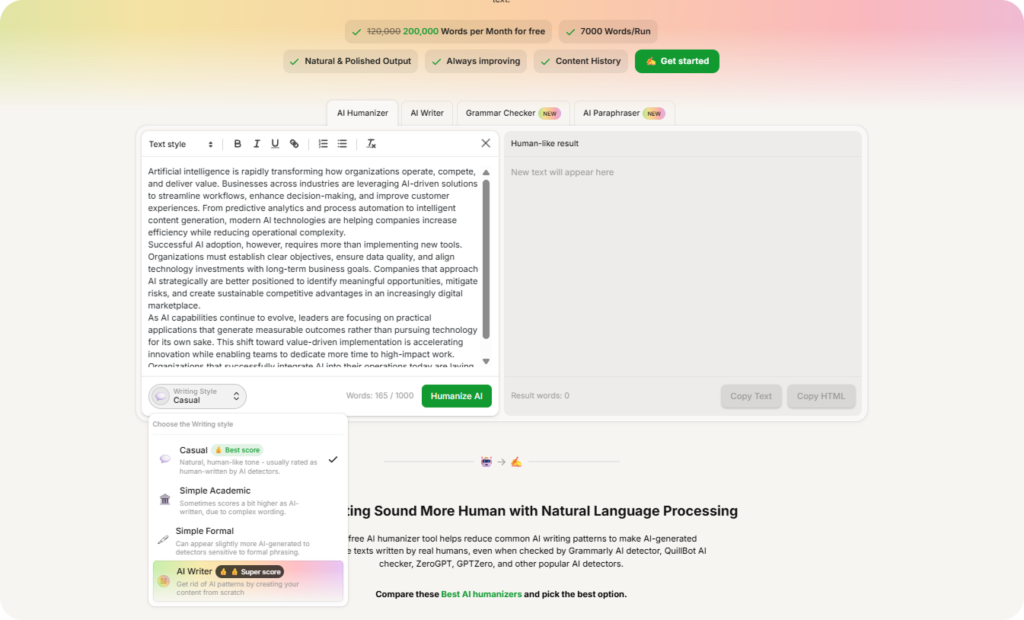
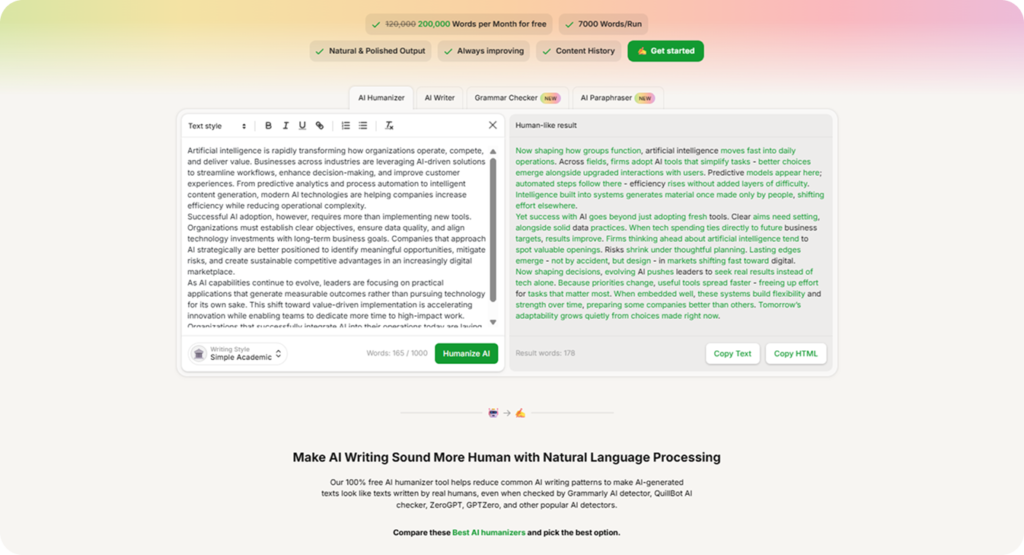
- Click “Humanize AI” and review the output. The platform restructures clause order, breaks sentence-length uniformity, and shifts emphasis. Changed fragments appear highlighted in blue. Read through them before you export to confirm the tone fits your intent.
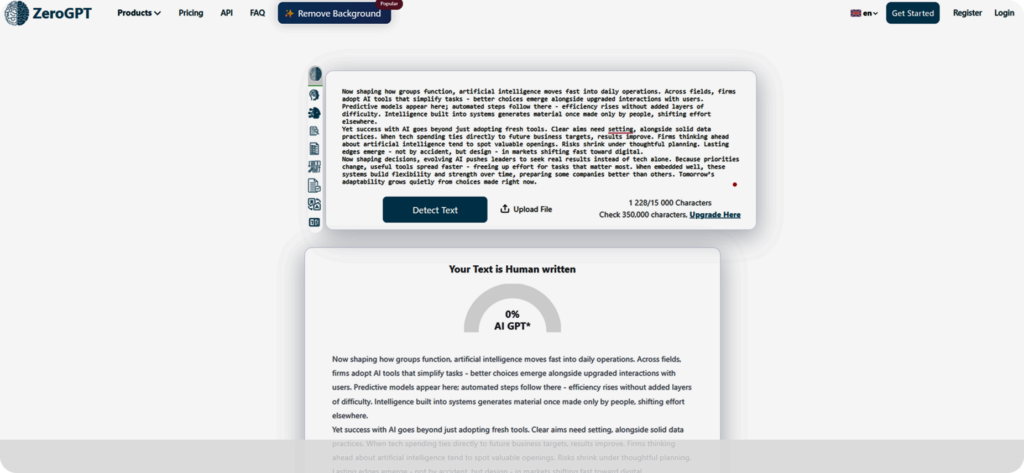
- Verify the result in ZeroGPT and GPTZero. Scores in the single digits to low teens fall within the normal range for human-written prose. If a paragraph scores above 20%, return it to step 3 with a different style preset, or run it through the Paraphraser in Humanize mode for a targeted second pass.
- Run the Grammar Checker. Always apply it after humanization. The rewrite repositions clauses and can introduce a misplaced comma or a shifted verb agreement – a grammar check catches these in seconds. Read the final text aloud and rewrite any sentence that sounds off by hand.
That is the complete workflow. The next section shows the benchmark results it produced.
Our Test Results Across Three Drafts and Two Detectors
We ran three identical AI-generated drafts through Clever AI Humanizer and checked each result against ZeroGPT and GPTZero. Every draft scored above 90% AI on both detectors before any changes. After a single Casual-mode pass, ZeroGPT returned 0–14.71%, and GPTZero classified the output as 93–94% human. Grammar ranged from 8.5 to 9 out of 10 across all texts tested—average detection across all drafts: 4.45%.
That result held across three different topics and two independent detectors, achieved entirely on the free plan with no paid features enabled.
FAQ
Does humanized AI text keep its original meaning?
Yes. The goal of any AI humanizer is to make AI-generated writing sound more human – and that means changing sentence cadence and clause order, not facts, claims, or arguments. Every output in our testing preserved the source text’s full meaning across each draft, and every edit that made AI writing sound more human was visible in the highlighted change panel.
Which AI detector is hardest to bypass?
GPTZero flagged more passages than ZeroGPT in our testing. The same text often scores differently on each platform because each detector weights perplexity and burstiness differently. A dual-detector check after every pass is the most reliable way to avoid AI detection consistently.
Can you make AI content undetectable for free?
Yes. Clever AI Humanizer provides 200,000 free words per month with no credit card required – enough to cover full production output for most editorial and academic workflows.
Who benefits most from an AI humanizer?
Three groups benefit most: freelance writers who deliver AI-assisted drafts to clients that run detection checks, students who submit work through Turnitin or similar platforms, and editorial teams that need a repeatable quality gate before publication. In each case, a statistical algorithm scores the content before a human reads it. As research from the University of Illinois confirms, the consequences of a false positive in academic or professional settings can include failing a grade, publication rejection, and lasting reputational damage.
Conclusion
One finding stands out from our testing: structural rewrite beats grammar polish whenever the goal is to make AI writing undetectable. Clever AI Humanizer scored below 5% AI detection on average while holding grammar quality above 9 out of 10, entirely on the free plan – a combination no paid competitor matched in our testing.
Given the growing number of free AI humanizer tools on the market, it is worth knowing which ones bypass AI detectors by changing statistical patterns and which ones only clean up surface language. Detection algorithms update regularly – treat humanization as a recurring step, not a one-time fix.
If detection scores stay high after a pass, try these adjustments:
- Switch to Casual mode. It produces the strongest structural variation and often drops scores when Formal or Academic falls short.
- Split the draft into sections of 300–400 words. Smaller inputs give the tool more room to vary the output than a single long pass.
- Run high-scoring paragraphs through the Paraphraser in Humanize mode. Use it as a targeted second pass on sections where text cadence did not fully break.
- Add one concrete detail per paragraph by hand – a year, a name, or a number. That specificity shifts the statistical profile in ways detectors cannot reliably flag.


