Now.gg Roblox Guide: Is It Safe? How to Play in Your Browser

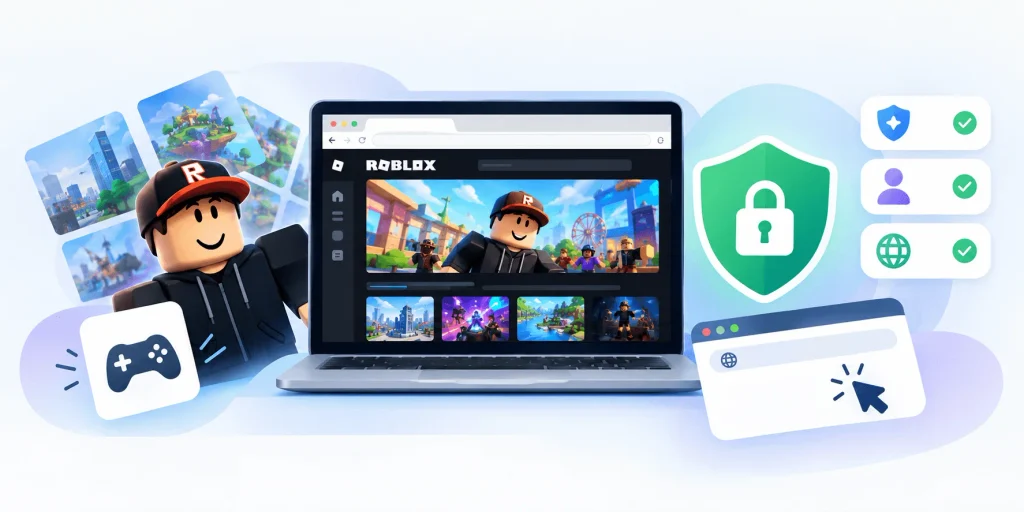
Now.gg Roblox is a third party cloud gaming platform that lets you play Roblox directly in your browser, without downloading or installing anything. It works by streaming the game from a remote virtual Android device to your screen in real time. In this guide, I’ll walk you through exactly how it works, whether it’s safe, and how to get started step by step.
If you’ve ever typed “now.gg Roblox” into Google at 11 PM because you desperately wanted to play but your school Chromebook wouldn’t let you install anything, I get it. I’ve been there. And honestly, that’s exactly why I sat down and wrote this guide.
In the next few minutes, you’ll learn what now.gg Roblox actually is, how it works under the hood, whether it’s safe to log into your real account there, and a step by step walkthrough to get playing in under two minutes. I’ll also flag the stuff most articles gloss over, because, well, most of them are recycled fluff. Let’s fix that.
What Is Now.gg Roblox, Really?
Okay, let’s rip the band aid off first.
Now.gg is not Roblox. It’s not owned by Roblox Corporation, it’s not officially endorsed, and it’s not some secret backdoor Roblox built for you. It’s a third party cloud gaming platform, think of it like a remote computer that runs the game for you and just streams the video back to your screen.
So when people say “Roblox now.gg,” what they really mean is: a version of Roblox running on someone else’s servers, displayed in your browser tab.
Here’s the thing, and I want to be upfront about this, the platform works by using Android app streaming technology. Your device isn’t doing any of the heavy lifting. Somewhere in a data center, a virtual Android device is actually running Roblox, and now.gg is just piping the screen and your inputs back and forth in real time. Kind of wild when you think about it.
I found a genuinely useful breakdown of this from PrimaGames, which is one of the few outlets that actually dug into the mechanics instead of just copy pasting the same “revolutionize your gaming experience” paragraph forty different sites seem to share (seriously, try searching this topic, you’ll see what I mean).
(Related reading: see our guide on unblocked games for students if school network restrictions are the reason you’re here, or our breakdown of the Blox Fruits calculator if you’re deep into Roblox’s biggest game.)
Why People Even Bother With Now.gg Roblox
You might be asking, “why not just download the Roblox app like a normal person?”
Fair question. A few real reasons people reach for cloud based Roblox instead:
- Their device is a school issued Chromebook with locked down permissions
- They’re on an old laptop with barely any storage space left
- They want to try Roblox without committing to a full install
- Their network blocks Roblox specifically, but not generic browser traffic
That last one is honestly the biggest driver, and I’ll be straight with you, a lot of the traffic around “play Roblox online” comes from students trying to get around school network filters. I’m not here to lecture you about that. I’m here to give you accurate information so you can make your own call.
How Now.gg Roblox Actually Works (The Non Boring Version)
This section deserves its own breakdown because most articles just say “it’s cloud gaming!” and move on. That’s lazy. Let me actually explain it.
When you open now.gg and click on Roblox, here’s what happens behind the scenes:
- A virtual Android instance spins up on a remote server
- Roblox launches inside that virtual environment, not on your device
- Your screen receives a live video stream of that instance
- Your clicks, taps, and keystrokes get sent back to the server as input commands
- The loop repeats, dozens of times per second, creating the illusion you’re playing locally
It’s essentially the same concept behind cloud game streaming services more broadly, remote hardware does the work, your device just displays the result. If you want a deeper technical comparison, our guide on playing games without downloading covers the same core concept applied to a different platform.
The Catch: Latency
Because everything is happening on a remote server, your experience is only as good as your internet connection. This is the single biggest factor in whether now.gg Roblox feels smooth or feels like you’re playing underwater.
If your connection has a lot of input lag, you’ll notice it immediately in a game like Roblox that often requires quick reflexes, jumping, building, dodging. It’s not a dealbreaker, but it’s not nothing either.
Is Now.gg Roblox Safe to Use With Your Account?
Alright, let’s talk about the part everyone skips: safety.
I want to be really clear here, because this matters more than any “top 10 features” listicle ever will. When you use now.gg to play Roblox, you’re typically logging into your real Roblox account, the one with your Robux, your inventory, your friends list, inside a third party website’s environment.
That’s a fundamentally different trust relationship than logging into the official Roblox app or the official roblox.com site.
Does that mean it’s automatically dangerous? Not necessarily. But it does mean you should treat it the way you’d treat any situation where you’re entering credentials on a platform that isn’t the original service provider.
My Recommendations Before You Log In
Here’s what I’d personally do, and what I’d tell a friend to do:
Turn on two factor authentication. Roblox lets you enable 2FA through their account settings, and it’s genuinely the single best thing you can do to protect your account regardless of where you’re logging in from.
Use a unique password. If your Roblox password is reused anywhere else, change that immediately, not because of now.gg specifically, but because credential reuse is the number one cause of account compromise across every platform, period.
Watch for phishing look alikes. There’s a real, documented pattern of scam sites mimicking Roblox branding to trick players into handing over login info. This isn’t unique to now.gg, but it’s worth knowing the pattern exists across the broader “unofficial Roblox site” ecosystem.
Don’t trust unverified claims of “concrete proof” either way. PrimaGames actually addressed this directly, noting there are Reddit reports of accounts getting compromised after using platforms like now.gg, but no hard evidence definitively linking the two. That’s the honest, nuanced answer, not “it’s totally safe!” and not “it will definitely hack you!” either.
Step by Step: How to Play Roblox on Now.gg
Enough theory, let’s get you actually playing. Here’s the exact process, broken down simply.
Step 1: Open Your Browser
Any modern browser works here, Chrome, Edge, Safari, even the browser built into a Chromebook. You don’t need to install anything extra.
Step 2: Search for the Now.gg Roblox Page
Navigate to now.gg and use their search bar to find Roblox specifically. Make sure you’re on the legitimate now.gg domain and not a copycat, this is a good habit any time you’re dealing with cloud gaming platforms.
Step 3: Click “Play in Browser”
You’ll usually see a prominent play button. Click it, and the virtual Android instance I mentioned earlier will start spinning up.
Step 4: Wait for the Server Queue (If There Is One)
Depending on traffic, you might hit a short queue before your session starts. This is normal for cloud streaming platforms, they only have so many virtual instances running at once.
Step 5: Log Into Your Roblox Account
Once the game loads, you’ll be prompted to sign in. This is the moment to double check you’ve got 2FA enabled and that you’re comfortable with the setup described above.
Step 6: Play
That’s genuinely it. From here, it behaves like a normal Roblox session, you can join experiences, chat with friends, and explore just like you would through the native app.
Now.gg Roblox vs. the Official Roblox App
Quick comparison, because this is genuinely the decision most people are trying to make.
| Factor | Now.gg Roblox | Official Roblox App |
|---|---|---|
| Installation required | None, runs in browser | Yes, full app download |
| Storage used | Zero on your device | Several hundred MB+ |
| Latency | Depends on your connection and server queue | Local, generally minimal |
| Account login model | Third party platform | Direct with Roblox |
| Maintained by | now.gg (independent) | Roblox Corporation |
| Best for | Restricted or locked down devices | Any unrestricted device |
| Uptime reliability | Can vary with server load | Generally stable |
If you have a device that can run the official app, and there’s no restriction stopping you, just use the official app. It’s more reliable, it’s maintained directly by the people who built the game, and it doesn’t involve routing your login through a middleman.
Now.gg Roblox earns its place specifically when the official app isn’t an option for you, locked down school devices, extremely low storage, or hardware that simply can’t handle a local install. It’s a workaround, and a genuinely clever one from a technical standpoint, but it’s a workaround nonetheless.
Now.gg Roblox Pros and Cons
I’m not going to give you a fake balanced list where the “cons” are secretly compliments. Here’s what I actually think, plainly.
What’s Genuinely Good
- Zero installation, huge if you’re on a restricted device
- Saves storage space, no local files eating up your disk
- Cross device flexibility, works on Chromebooks, older PCs, tablets
- Instant access, no waiting on downloads or updates
What’s Genuinely Annoying
- Latency depends entirely on your connection, and there’s nothing you can do about a slow network
- Server queues during high traffic periods
- Unofficial trust model, you’re entering account credentials on a third party platform
- Inconsistent uptime compared to the native app, which is maintained directly by Roblox Corporation
I’d rather tell you this upfront than have you discover it mid session and feel misled.
Alternatives to Now.gg Roblox Worth Knowing About
If now.gg Roblox doesn’t feel right for you, or the server queues are driving you nuts, there are a couple of other paths worth a quick mention:
- Checking if your school or workplace has an approved exception process for educational platforms
- Using a personal device outside of restricted networks when possible
- Exploring other cloud gaming services that support Android titles, though coverage for Roblox specifically varies, our unblocked games guide for students covers several worth trying
None of these are perfect substitutes, but they’re worth having in your back pocket.
Frequently Asked Questions About Now.gg Roblox
Is now.gg Roblox free to use?
Yes, playing Roblox through now.gg is generally free. You don’t pay now.gg directly to stream Roblox, though your normal Roblox account, Robux, and any in game purchases work exactly as they would through the official app.
Is now.gg Roblox legal?
Now.gg operates as an independent cloud streaming service and isn’t affiliated with Roblox Corporation. Using it isn’t illegal, but it does mean your session runs through a third party platform rather than Roblox’s own infrastructure, so it’s worth reviewing Roblox’s own terms of use if you want full clarity on account sharing expectations.
Can I lose my Roblox account by using now.gg?
There’s no confirmed, documented case directly tying now.gg to account compromise. That said, because you’re entering login credentials on a third party platform, it’s smart to enable two factor authentication and use a unique password, exactly as you would with any service that isn’t the game’s official client.
Does now.gg Roblox work on Chromebooks?
Yes, this is actually one of the main reasons people use it. Since now.gg runs entirely in the browser, it works on Chromebooks that don’t support installing the native Roblox app.
Why is now.gg Roblox laggy sometimes?
Because the game is running on a remote server and streamed to your device, performance depends heavily on your internet connection speed and stability, plus how many other users are on the servers at that moment (server queues).
Final Thoughts
Here’s my honest, bottom line take: now.gg Roblox is a legitimately useful tool for a specific problem, playing Roblox on a device or network that won’t let you install it normally. It’s not shady by design, but it is unofficial, and that distinction matters more than most articles on this topic seem willing to admit.
If you decide to use it, do yourself a favor: enable two factor authentication, use a unique password, and go in with realistic expectations about lag and queues. Do that, and you’ll get exactly what you came for, a way to jump into Roblox from pretty much anywhere, no download required.