
Square Face Icon Generator: How It Works (2026 Guide)

Not every profile picture has to look like everyone else’s. A square face icon generator reshapes a plain portrait into a cartoon-style avatar with clean, rounded-square edges instead of the usual round crop everyone defaults to.
Rather than slapping a shape over your photo, the tool studies your actual face — jawline, hairstyle, skin tone, expression — and rebuilds those features inside a boxy frame, so the result still reads as you and not a random cartoon. It’s built for speed: upload one clear portrait, and within seconds you get a stylized profile picture ready for social media, gaming, or chat apps. No design skills, software, or signup needed — just a photo and a few seconds of processing.
Square Face Icon Generator: How to Turn a Photo Into a Square Avatar
A square face icon generator takes a regular portrait photo and reshapes it into a cartoon-style avatar with a rounded-square or boxy face, while keeping the same hairstyle, skin tone, expression, and overall look so you’re still recognizable. It’s a quick way to get a consistent, stylized profile icon for social media, messaging apps, or online communities without hiring a designer or learning illustration software.
Demand for tools like this has grown alongside AI image generation generally — more than 150 million people now use AI image-generation tools monthly, according to Statista’s 2026 tracking data, and avatar and profile-picture styling is one of the most common everyday uses.
How Does a Square Face Icon Generator Work?
The tool starts by detecting your face and key features in the uploaded photo — the shape of your jaw, your hairstyle, eye and mouth position, and skin tone — then maps those features onto a rounded-square face template instead of redrawing the whole image from scratch. That’s the difference between a good square face maker and a generic filter: a filter just slaps a shape over your photo, while an identity-preserving avatar generator rebuilds the face so it’s still clearly you, just stylized.
This matters more than it sounds. Plenty of cartoon avatar tools produce a cute result that looks like a stranger. A square face generator built around identity preservation keeps the features that make a face recognizable — distinctive eyebrows, glasses, a particular smile — even after the shape changes.
Square Face vs. Round Face vs. Other Avatar Shapes
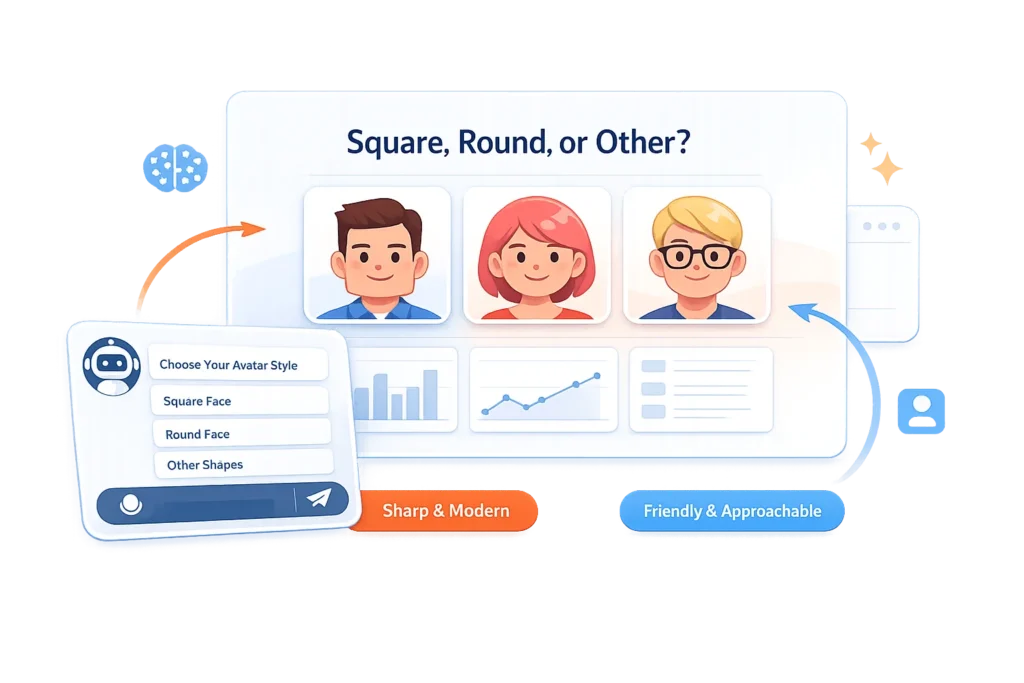
Avatar generators usually offer a handful of face-shape styles, and square isn’t just a visual preference — it tends to read differently than a round or oval avatar. A rounded-square face gives a slightly more modern, boxy, “app icon” feel, which is part of why it’s become popular for gaming profiles, community badges, and sticker packs, where a face needs to read clearly even at a small size. Round avatars tend to feel softer and friendlier; square ones tend to feel cleaner and a little more graphic. Neither is more “correct” — it’s a matter of which look fits the platform or brand you’re using it for. For a broader look at how face shape and styling tie into online identity, see our guide to avatar logos and digital identity.
What Makes a Good Square Face Icon Generator
A few things separate a useful tool from a gimmick:
Identity preservation. The result should still look like you, not a generic cartoon face wearing your hair color.
Single-feature focus. The best square face makers change the face shape and styling, not the entire photo — background, lighting, and pose stay close to the original so the avatar still feels personal.
No required login for a quick result. Being able to upload a photo and see a result before committing to an account is a reasonable bar for a tool this simple.
Clean export quality. An avatar that looks fine in a preview but turns blurry or pixelated once downloaded at full size isn’t actually useful for a profile picture.
If you’re exploring other AI face tools alongside this one, our guide to free AI face swap tools covers a related category worth knowing about.
What to Expect From Different Photo Types
Square face generators work by detecting facial landmarks — the position of your eyes, eyebrows, jawline, and hairline — before mapping them onto the square template. That detection step is the part most sensitive to photo conditions.
Even, front-facing lighting gives the model a clean read on edges like eyebrow shape and jaw contour, so those tend to carry through accurately. Heavy side-lighting creates shadows that can blur the boundary between a feature and the skin around it, which is when details like a faint mustache or a subtle jaw angle are more likely to get smoothed over rather than rendered crisply.
Anything that partially blocks a landmark — a low-brim hat, hair across the brow, glasses with thick or reflective frames — gives the model less to work with in that region, so results are more variable there than on an unobstructed face. Piercings and jewelry tend to render fine since they don’t interfere with landmark detection itself, though very fine detail can soften depending on the export resolution.
How to Make a Square Face Avatar: Step by Step
- Upload a clear portrait. A front-facing photo with good lighting and a visible hairstyle gives the AI the most accurate features to work from.
- Generate the square face version. Try the Square Face Icon Generator reshapes the face into a rounded-square or boxy cartoon style while keeping your features recognizable.
- Review the result. Check that the expression and key features still look like you before downloading.
- Download and use it. Save the icon for profile pictures, messaging apps, community avatars, or sticker packs.
Getting the Best Source Photo
Result quality depends heavily on the photo you start with. A front-facing shot with even lighting and no heavy shadows across the face gives the AI a clean read on your features. Avoid photos where hair fully covers the forehead or where sunglasses hide the eyes, since those are exactly the details an identity-preserving avatar generator relies on to keep the result recognizable. A neutral or slightly smiling expression also tends to translate better into cartoon style than an exaggerated one, which can look distorted once mapped onto a square shape.
Common Uses for Square Face Avatars
Social media and messaging profile pictures — a consistent, stylized icon across platforms without needing a new photo shoot. See our TikTok profile picture guide for platform-specific sizing and style tips.
Gaming and community profiles — square avatars are common on platforms where icons appear small and need to stay legible at low resolution.
Stickers and chat icons — a square face avatar works well as a sticker base since the shape stays consistent across expressions and poses.
Team or brand identity graphics — businesses sometimes standardize on one avatar style across a whole team for a cohesive look on a website or app.
Frequently Asked Questions
Do these tools require Adobe Flash?
No — Flash has been discontinued and unsupported by all major browsers since 2020. Square face icon generators run on standard modern web technology, so no plugin or Flash installation is needed.
Are square face icon generators free?
Most offer a free tier that lets you upload a photo and generate a basic result with no signup.
Can I customize my features?
The core process is automatic — the AI maps your real features onto the square shape rather than letting you manually adjust them.
Where can I use these avatars?
Anywhere a small profile image works well: social media and messaging profile pictures, gaming and community platforms, chat stickers, and team or brand avatar sets.
The Bottom Line
A square face icon generator is a fast way to get a stylized, recognizable avatar without hand-drawing one or hiring a designer — the result is only as good as the photo you feed it, so a clear, well-lit, front-facing shot will get you a noticeably better avatar than a low-quality or obscured one. Try the Square Face Icon Generator to see your own result.


