
Best AI Image Generator: A Practical Guide for Creators and Marketers

If you’ve tried to generate an image with AI in the last six months, you already know the landscape has completely changed. The models that felt cutting-edge in 2024 now look stiff and obvious. New engines launch almost monthly, each promising better hands, better text rendering, better photorealism — and most of them deliver on at least one of those promises. The problem isn’t capability anymore. It’s choice paralysis.
In this guide, I’ll walk through how to actually pick an AI image generator that fits your workflow in 2026, what separates a hobbyist tool from a production-ready platform, and how to build a workflow that doesn’t break every time a new model drops.
Why the AI Image Space Got So Crowded in 2026
Two years ago, you had Midjourney, DALL·E, and Stable Diffusion. That was basically the whole conversation. Today there are easily two dozen serious image models, each with its own personality. Some are great at photorealism but bad at illustration. Some nail typography but struggle with anatomy. Some are licensed for commercial use; others put you in legal gray zones.
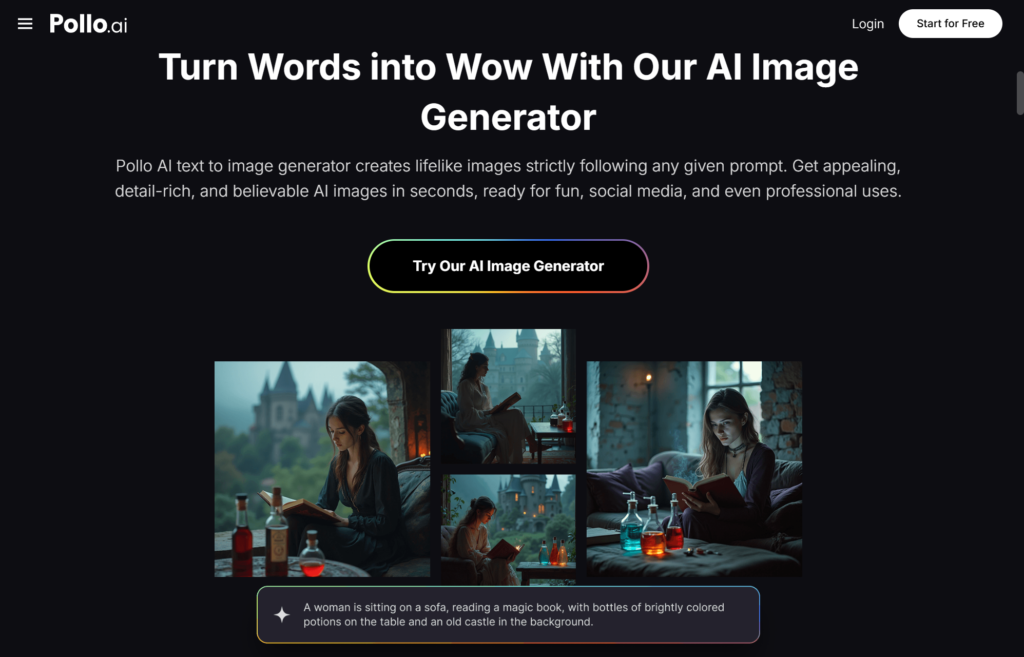
For most creators, the smartest move isn’t picking one model and committing — it’s using a platform that aggregates the best models so you can pick the right one for each job. That’s where Pollo AI has carved out its space. Their AI image generator sits inside the Creative Studio and gives you access to multiple leading image engines through a single interface and a shared credit system. Instead of juggling four subscriptions and four different prompt formats, you generate, compare, and iterate in one place.
This matters more than it sounds. The hidden cost of AI tools in 2026 isn’t the monthly fee — it’s the context switching. Every time you change platforms, you lose your settings, your style library, and your generation history. Consolidation is the real productivity unlock.
What Separates a Good AI Image Generator from a Great One
After running thousands of generations across most of the major platforms this year, here’s what I’ve learned actually matters.
Prompt adherence over raw aesthetics. A model that produces a beautiful image you didn’t ask for is less useful than a model that produces an okay image of exactly what you wanted. The best generators in 2026 follow specific instructions — “left-handed person holding a green ceramic mug” — without ignoring half your details.
Consistency across generations. If you’re building a brand or a series, you need the same character, same style, or same product to appear reliably across multiple images. Look for tools that support reference images, character lock, or style presets.
Editing, not just generating. First-shot perfection is rare. The real workflow involves generating, then editing — inpainting a hand, swapping a background, adjusting a color. A generator without solid editing tools forces you back into Photoshop every time.
Commercial licensing clarity. This still trips people up. Make sure the platform you use grants commercial rights on the output. Most reputable tools do in 2026, but it’s worth checking before you put an image on a product page.
Picking the Right Model for the Right Job
Here’s where things get interesting. Different models genuinely excel at different things, and learning their personalities is half the battle.
For photorealistic portraits and product shots, look for models trained heavily on real-world photography. These tend to handle lighting, skin texture, and material physics convincingly.
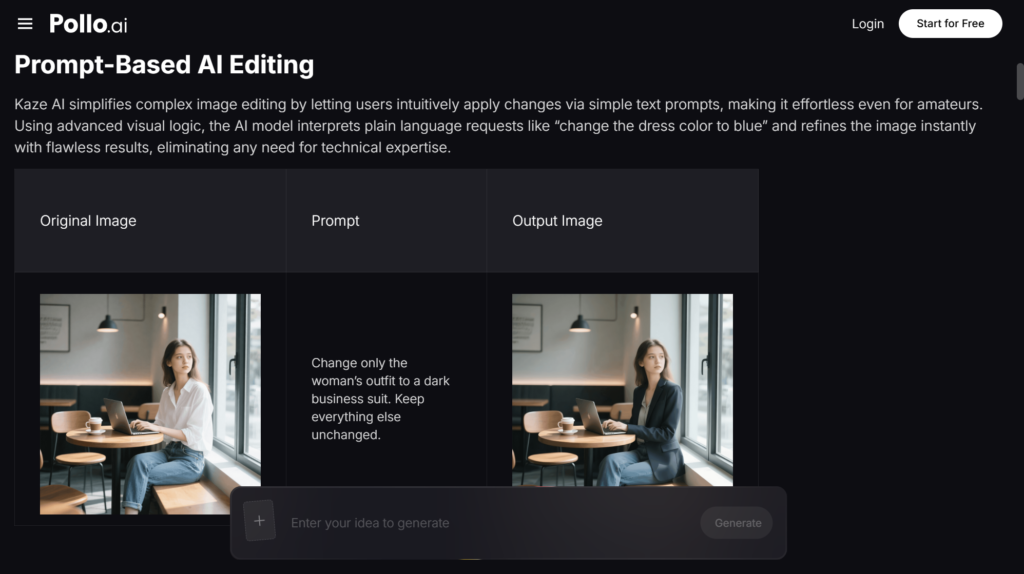
For illustration, anime, and stylized art, you want models with strong aesthetic biases. Kaze AI, which Pollo AI integrates into its Creative Studio, has been a standout for anime and stylized character work this year — it nails the line confidence and color choices that purely photorealistic models tend to flatten. If you’re a creator building a webtoon, a game asset library, or a stylized brand identity, having access to a model like this inside the same platform you already use is genuinely time-saving.
For typography and graphic design, prioritize newer models. Text rendering was a weakness across the board until late 2025, and the gap between the best and worst models on this dimension is still huge.
For marketing creative and ad variations, speed matters more than absolute quality. You’re going to generate dozens of versions and test them — fast iteration beats polished perfection.
A Realistic Workflow for Small Brands and Solo Creators
Let me walk through how I’d set up an image workflow in 2026 if I were starting from scratch.
Begin with a moodboard. Before you generate anything, gather 10–20 reference images that capture the look you want. This isn’t optional — vague prompts produce vague results.
Write structured prompts. The format that works for me: subject, action, environment, lighting, style, camera details. Keep it under 60 words. Long prompts get diluted.
Generate in batches. Run four to six variations per concept. Pick the strongest, then iterate from there using img-to-img or editing tools.
Refine with editing. Use inpainting to fix specific problem areas — hands, faces, weird background objects — rather than re-generating the whole image and losing what was working.
Build a style library. Save your best prompts, seeds, and reference images. Over time, this becomes your competitive advantage. Pollo AI’s Creative Studio lets you organize generations into projects, which makes this kind of library-building a lot less painful.
Common Mistakes to Avoid
The biggest mistake I see in 2026 is chasing every new model release. A new state-of-the-art generator drops every few weeks, and trying to learn each one’s quirks will burn you out. Pick a primary tool, get fluent in it, and only switch when there’s a clear reason.
The second mistake is over-prompting. Stuffing your prompt with twenty adjectives (“ethereal, dreamy, cinematic, masterpiece, ultra-detailed, 8K, award-winning…”) used to help with older models. With modern engines, it mostly adds noise and dilutes your actual intent.
The third mistake is skipping post-processing. Even the best AI image often benefits from light color grading, a sharpening pass, or a small crop. Treat the generation as a starting point, not a final asset.
Final Thoughts
AI image generation has stopped being a novelty and become an actual production tool. The creators and marketers winning in 2026 aren’t the ones with access to secret models — they’re the ones who’ve built repeatable workflows around tools they understand deeply. Platforms like Pollo AI make that easier by putting the best engines under one roof, so you can spend less time managing subscriptions and more time making things worth looking at.


