
Is Sotwe Safe? The Truth Before You Use It (2026)

Sotwe is a third-party Twitter web viewer that lets you browse public tweets, profiles, and hashtags on X without logging in or creating an account. It works by scraping publicly visible data rather than using X’s official API, which is exactly why no login is required, and exactly why the tool is fragile and breaks whenever X changes its public page structure. Multiple mirror domains exist (sotwe.com, sotwe.io, sotwe.us, and others), and independent reviews on Trustpilot and security scanners flag real trust concerns you should know about before using it.
I’ll walk you through what it actually does, what real users are saying, how it compares to alternatives like Nitter, and how to use it as safely as possible if you still want to.
What Is Sotwe, Exactly?
Sotwe is an anonymous Twitter viewer that scrapes publicly available data from X and displays it in a stripped-down, ad-supported interface.
No account. No login. No cookies tracking your session (in theory, anyway). You search a handle, and Sotwe shows you their recent posts, media, and profile info, assuming the account is public. That’s the whole pitch.
Here’s the thing you need to understand right away, though. Sotwe doesn’t use X’s official API. It’s not a licensed partner. It’s a scraper that leans on publicly visible data, which is exactly why it can work without a login in the first place.
That approach has two sides to it. On one hand, it makes the tool fast and lightweight. On the other hand, it means the whole thing can break overnight if X changes how its public pages are structured.
A few things Sotwe advertises:
- Anonymous browsing of public profiles, tweets, and replies
- Hashtag and trend tracking, updated in something close to real time
- Media viewing for photos and videos attached to public tweets
- No-signup access, meaning you skip X’s login wall entirely
As of this writing, at least six active Sotwe mirror domains are indexed (.com, .io, .in, .cc, .world, .us), which matters more than it sounds like. More on that below.
Why People Search for Sotwe in the First Place
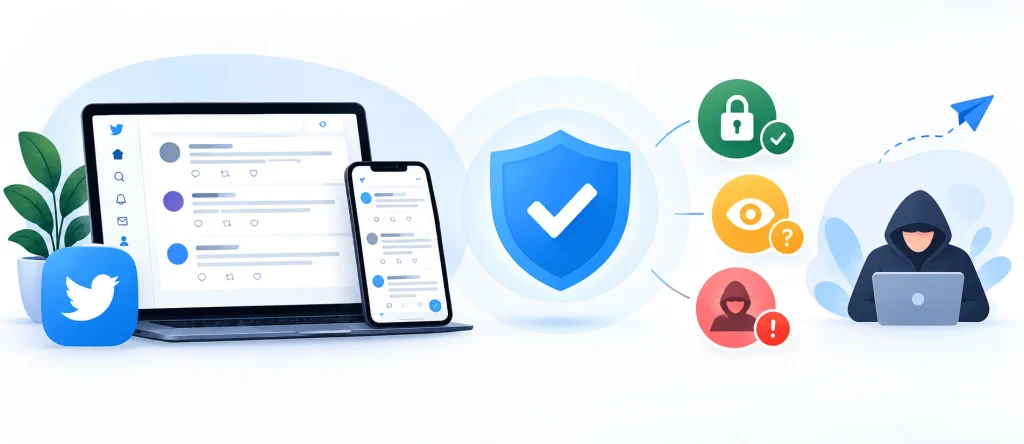
You’re probably here for one of three reasons, and I want to address all of them directly instead of dancing around it.
Maybe X is blocked where you live, and you’re looking for a workaround. Maybe you just don’t want to make an account but still want to catch up on a public conversation. Or maybe you’re doing social media research, tracking a hashtag, checking sentiment, that kind of thing.
All three are legitimate reasons. Nothing wrong with wanting privacy or wanting to skip an account you’ll never use again.
But (and this is a big but) the way you get there matters. Let’s get into why.
Is Sotwe Safe? Here’s What Actual Users Are Saying
Sotwe’s safety record is mixed at best, based on Trustpilot reviews and independent security scans pulled in 2026. Reviewers describe unauthorized data scraping, aggressive fake-virus pop-up ads, and at least one detailed billing complaint. A third-party scanner rated the main domain “Suspicious” with a trust score of 55/100.
Here’s the detail, so you can judge for yourself. I’ve also broken this down in more depth in a dedicated Sotwe privacy and security analysis if you want the full legal picture.
I dug through Trustpilot reviews for sotwe.com, and the pattern isn’t great. Multiple reviewers describe the platform as copying private data without consent, one user specifically said the company copies X messages without the account owner’s permission. Another called it a fake and spam software company that downloads people’s profile photos without their consent.
Then there’s the billing complaint, and this one’s worth reading twice. One reviewer says they entered card information believing they were signing up for a free trial. No cancel button anywhere. When they tried to log back in later, the site claimed they had no account at all, even though their card had already been charged monthly. They had to cancel the card through their bank just to make it stop.
That’s not a minor gripe. That’s the exact shape of a subscription trap.
Third-party security scanners back this pattern up too. MalwareTips rated sotwe.com as “Suspicious” with a trust score of just 55 out of 100 (checked September 2026). Their summary is blunt: clean malware scans, but numerous complaints about shady ads, scraping without consent, and billing problems. Their actual recommendation is to avoid logging in, making payments, or downloading files, and to use official X instead.
And here’s a detail I think matters a lot: there isn’t just one Sotwe. There’s sotwe.com, sotwe.io, sotwe.in, sotwe.cc, sotwe.world, sotwe.us, and probably a few more mirrors by the time you read this. A reputation check on sotwe.us found it was registered only six months prior, with limited reputation history and a registration form collecting personal data. Newly registered domain, form asking for your info, no track record. You see where I’m going with this.
So no, I wouldn’t call Sotwe outright dangerous in every case. But I also wouldn’t hand it my payment details, my login, or anything I couldn’t afford to have exposed. Trust scores like the one above shift over time, so check the source directly if you’re reading this well after September 2026.
How to Use Sotwe (Step-by-Step, If You Still Want To)
If you’ve weighed the risks above and you still just want to browse public tweets anonymously, here’s exactly how it works.
Step 1: Go to the site directly.
Type the URL in yourself rather than clicking a random ad or a link from a message. This alone dodges a huge chunk of the phishing-clone risk.
Step 2: Search for a public username.
Use the search bar and type in the handle you’re looking for, no @ symbol needed on most versions.
Step 3: Browse the public profile.
You’ll see recent tweets, replies, and media, assuming the account isn’t private. Private accounts stay hidden. That’s true across every legitimate Twitter viewer, not just Sotwe.
Step 4: Check hashtags or trends if that’s what you’re after.
Most versions have a separate trends tab for this.
Step 5: Skip anything asking for a card number.
This is the step that matters most. If a “free trial” pop-up asks for payment info to view public tweets, close the tab. Public data browsing should never require your card.
That’s it. Five steps, no account required.
Sotwe vs. Nitter vs. Twstalker: How Do They Compare?
Nitter is the most transparent Twitter viewer alternative because its source code is fully open and auditable, while Sotwe and Twstalker are both closed-source scrapers with weaker trust signals.
Here’s how the three actually stack up:
| Tool | Login Required | Open Source | Trend Tracking | Trust Signals |
|---|---|---|---|---|
| Sotwe | ❌ No | ❌ No | ✅ Yes | ⚠️ Mixed/poor reviews |
| Nitter | ❌ No | ✅ Yes | ❌ Limited | ✅ Auditable code |
| Twstalker | ❌ No | ❌ No | ❌ Limited | ⚠️ Mixed |
| Official X (logged out) | ⚠️ Partial | ❌ No | ✅ Yes | ✅ Official source |
Nitter is an open-source, privacy-focused Twitter front-end. Because its code is publicly auditable, it carries a trust signal Sotwe simply can’t match. The tradeoff is that public Nitter instances go down often, since X has actively worked to block them.
Twstalker leans more toward profile lookups and archived tweet history. It’s not built for trend tracking or media downloads the way Sotwe claims to be, so it falls short if that’s your goal.
Sotwe sits in the middle: broader feature claims (trends, media, hashtag search) but weaker trust signals, given everything covered above.
If data privacy is your top priority, Nitter’s open-source model gives you something Sotwe can’t: the ability to actually verify what the code does. I’ve rounded up more options in this comparison of Sotwe alternatives for Twitter viewing if you want a wider field to choose from.
Common Mistakes People Make With Twitter Viewers
Let’s talk about a few things I see people get wrong over and over with these tools, Sotwe included.
Entering payment info for a “premium” version. Public tweet browsing should be free everywhere. If you’re asked to pay, that’s a red flag, full stop.
Clicking ads that claim your device has a virus. Multiple reviewers flagged this exact behavior on Sotwe: pop-ups warning of infections the moment you land on the page. That’s a classic scareware pattern, and it has nothing to do with actual malware on your device.
Assuming “no login required” means “no data collection.” Scraping tools still log IP addresses and browsing behavior in most cases. Anonymous from X’s side doesn’t automatically mean anonymous from the tool’s side.
Trusting the wrong mirror domain. With this many near-identical Sotwe URLs floating around, it’s easy to land on a clone that’s even less trustworthy than the original. If the site suddenly stops loading profiles or throws errors, that’s usually a sign you’re on a broken mirror, not a personal connection issue, worth checking a troubleshooting guide for Sotwe not working before assuming the worst.
FAQ: Your Sotwe Questions, Answered
Is Sotwe legal to use?
Viewing publicly available content isn’t illegal in most places. The murkier territory is Sotwe scraping and redistributing that data without X’s authorization, which touches on X’s own terms of service, not something you’d be legally liable for as a casual viewer.
Can I view private Twitter accounts with Sotwe?
No. Sotwe, like every legitimate viewer, only shows content that’s already public. Anyone claiming otherwise is lying to you.
Does Sotwe cost money?
The core viewing features are marketed as free. Any prompt asking for card details for a “trial” should be treated with real suspicion, based on the billing complaints covered above.
Why do multiple Sotwe websites exist?
Because it’s a scraping tool without an official, centralized service, mirror sites and clones have multiplied. At least six were active as of September 2026, and this makes it harder to know which version you’re actually dealing with.
What’s a safer alternative?
Nitter is the most transparent option since its source code is public. Just browsing X while logged out also works for most public content, minus the trend-tracking extras.
The Bottom Line
Sotwe does what it says on the surface. It lets you browse public X content without an account, and that part works. But the trust track record, backed by actual Trustpilot complaints and independent security scans, tells a story worth taking seriously before you use it for anything beyond casual, anonymous browsing.
My advice: use it to peek at a public profile if you must. Never enter payment info. Never log in with your real credentials. And if you want something with a genuinely auditable safety record, Nitter’s open-source approach is the stronger long-term bet.
Stay curious, stay careful, and check the reviews before you trust any tool with your data.


