What Is a Hyperlink? The Complete 2026 Guide

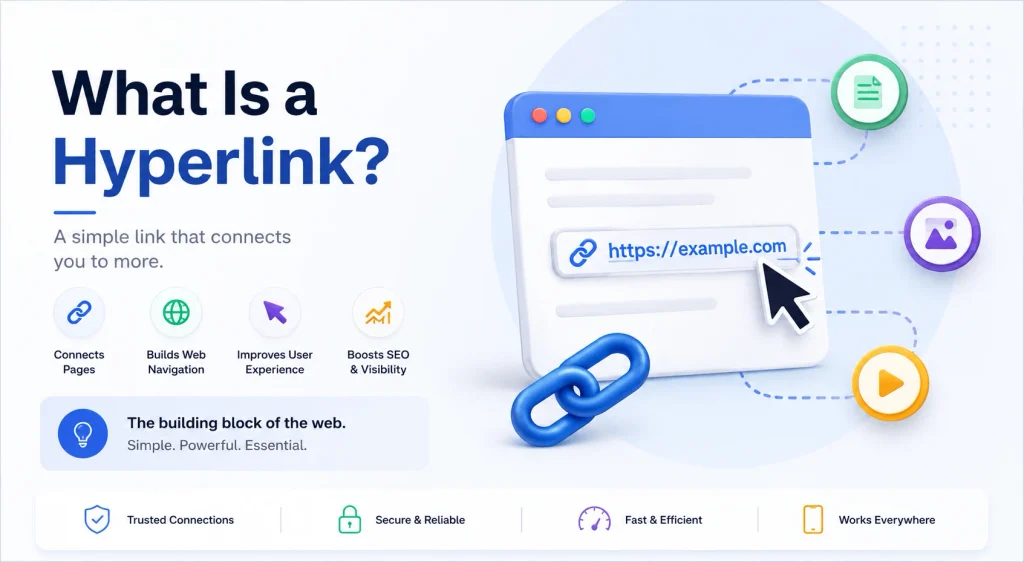
A hyperlink is a clickable element, usually text or an image, that takes you from one piece of digital content to another. That’s it. That’s the whole concept, stripped down to its studs.
But here’s the thing.
If you’re writing this article, or reading it, chances are you want more than the dictionary version. You want to actually understand how hyperlinks work, where they came from, and how to use them so your content actually performs, including how AI-powered search engines treat them differently than Google’s crawlers do as of 2026.
So let’s get into it.
What Is a Hyperlink? (The Real Answer)
A hyperlink is a digital reference that lets you jump from one piece of content to another with a single click or tap. Merriam-Webster (Source: Merriam-Webster, 2026) defines it as an electronic link providing direct access from one distinctly marked place in a hypertext document to another.
I know, still a little dry.
Here’s the plain-English version: every time you click a piece of blue underlined text and get whisked away to a new page, you just used a hyperlink. Every search result on Google? A hyperlink. That word in a Wikipedia article you clicked because you got curious? Also a hyperlink.
Hyperlinks can be:
- Text (the most common form)
- Images
- Icons or buttons
- Entire graphics
And they can point to almost anything: another website, a different section of the same page, a downloadable file, or even an email address.
The web, as you know it, simply does not function without them. If you’re just getting oriented, check out our beginner’s guide to on-page SEO for how hyperlinks fit into the bigger picture.
A Quick History (Because Context Matters)
You don’t need a history lesson to use a hyperlink correctly. But understanding where the idea came from helps you appreciate why it’s structured the way it is today.
The term “hyperlink” was coined in 1965 (possibly 1964) by Ted Nelson (Source: LivingInternet), a visionary who started Project Xanadu. Nelson wasn’t building websites, obviously. The web didn’t exist yet. He was imagining a universal library where every piece of writing could connect to every other piece of writing.
Big dream. Slow execution. Xanadu, famously, took decades to ship anything close to Nelson’s original idea.
Then came Tim Berners-Lee.
Working at CERN (Source: Wikipedia, “History of the World Wide Web”) in the late 1980s, Berners-Lee took the theoretical concept of hypertext and turned it into something practical: the World Wide Web. He proposed hyperlinks as a core piece of the web’s architecture in 1989, and by 1991, his browser (called, appropriately, WorldWideWeb) let people click their way between documents for the first time.
Wild to think that one guy’s side project at a physics lab became the connective tissue of the entire internet, and now the same underlying tissue is what AI models crawl to generate answers.
How Hyperlinks Actually Work (Under the Hood)
Now let’s get a little technical, but not scary-technical.
Every hyperlink has two parts:
- The anchor text (or image) — this is what you see and click
- The destination URL — this is where the click sends you
In HTML (Source: freeCodeCamp), a hyperlink is built with an anchor tag. It looks like this:
<a href="https://example.com">Click here</a>
The href part stands for hypertext reference. It’s the actual address the browser navigates to when someone clicks. Everything between the opening and closing <a> tags is your anchor text — the visible, clickable words.
A hyperlink also has a direction. It starts at a source anchor (the page it’s on) and points to a destination anchor (the page it leads to). Simple concept, but it’s the backbone of something called the webgraph — a massive, interconnected map of pages formed entirely by hyperlinks pointing to one another.
That webgraph, by the way, is basically how Google figures out what’s important on the internet (Source: Google Search Central). We’ll cover how AI search tools use that same map differently in a few sections.
The Different Types of Hyperlinks You Should Know
Not all hyperlinks are created equal. If you’re writing content, building a website, or doing any kind of SEO work, you need to understand the categories.
Internal Links
An internal link points from one page on your site to another page on your site. Same domain, different destination.
These matter more than people think. Internal links help search engines discover new pages on your site and understand your site’s structure, and they help real human readers navigate your content without hitting a dead end. Our internal linking checklist walks through this in more depth.
If a page on your site has zero internal links pointing to it, it’s called an orphaned page, and orphaned pages tend to get ignored by search engines entirely since crawlers rely on links to find new content.
External Links
An external link points from your page to a completely different domain. You link to a source, a tool, a reference, anything outside your own site.
Done right, external links build trust with your readers. Done wrong (linking to spammy, irrelevant, or low-quality sites), they can actually hurt your credibility.
Dofollow vs. Nofollow Links
Here’s where it gets interesting for anyone thinking about SEO. The table below breaks down the four attribute types you’ll run into most:
| Link Type | Passes Authority? | Best Use Case | HTML Attribute |
|---|---|---|---|
| Dofollow | ✅ Yes | Default for trusted internal and external links | None (default) |
| Nofollow | ❌ No | Untrusted or unverified sources | rel="nofollow" |
| Sponsored | ❌ No | Paid links, affiliate placements, ads | rel="sponsored" |
| UGC | ❌ No | User-generated content (comments, forum posts) | rel="ugc" |
A dofollow link is the default type of hyperlink. It passes what’s often called link equity (sometimes “link juice”) from one page to another, telling search engines “hey, I trust this destination enough to send my authority its way.”
A nofollow link carries a rel="nofollow" attribute, which tells search engines not to pass that authority along. Google’s own documentation (Source: Google Search Central, 2026) recommends using nofollow specifically when you don’t trust the source you’re linking to, not as a blanket rule for every outbound link.
Anchor Text
I mentioned this earlier, but it deserves its own section because it matters a lot.
Anchor text is the clickable text of a hyperlink. Good anchor text is descriptive, reasonably short, and relevant both to the page it lives on and the page it points to, according to Google’s own linking guidelines.
Avoid vague anchor text like “click here” or “this link.” It tells your readers nothing, and it tells search engines even less.
How AI Search Engines Treat Hyperlinks Differently
This part didn’t matter much a few years ago. It matters now.
Traditional search crawlers, the kind Google has used for decades, follow hyperlinks to discover and rank pages across the entire webgraph. AI-powered answer engines like ChatGPT, Perplexity, and Google’s AI Overviews work differently. Instead of crawling every linked page to build an index, they tend to favor content that’s already structured for direct extraction: short, self-contained sections with a clear answer up top, backed by a traceable, named source.
That shift changes how you should think about your own links. A few practical takeaways:
- Cite explicitly. Naming your source directly (“Source: Google Search Central”) makes it easier for an AI engine to attribute a claim to your page rather than paraphrasing around it.
- Keep sections self-contained. AI engines tend to lift whole paragraphs or table rows, not scattered sentences.
- Tables and lists get quoted more often than long paragraphs, because they’re easier to extract cleanly.
- Freshness still counts. Content with dated context (“as of 2026”) signals to both traditional crawlers and generative engines that the information hasn’t gone stale.
None of this replaces the fundamentals above. It just means the fundamentals now serve two audiences: human readers and the AI systems increasingly standing between you and them.
Why Hyperlinks Matter for SEO (Step-by-Step)
Alright, let’s make this practical. If you’re writing blog content or managing a website, here’s how to actually use hyperlinks well.
Step 1: Identify your search intent first.
Before you write a single hyperlink, know what your reader actually wants. Are they trying to learn something (informational), find a specific site (navigational), compare options (commercial), or buy something (transactional)? Your linking strategy should match that intent. A “what is” article needs definitional external links. A “best tools” article needs comparison links and internal links to your own product pages.
Step 2: Place your primary keyword strategically.
Your main keyword should show up in your URL, your title tag, your H1, at least one H2, and within the first 100 words of your content. This isn’t a suggestion, it’s close to a requirement if you want to rank.
Step 3: Link internally to relevant pages.
Every time you mention a topic you’ve already covered elsewhere on your site, link to it. Check out our internal linking and ranking guide as an example of the kind of hub page worth linking back to. This builds what’s essentially a web of trust between your own pages and helps search engines crawl your entire site more efficiently.
Step 4: Link externally to authoritative sources.
When you cite a fact, a definition, or a stat, link to where it came from and name the source directly. It’s not just good practice, it makes your content more credible, gives readers a path to verify what you’re saying, and makes your page easier for AI engines to cite accurately.
Step 5: Write descriptive anchor text every time.
Skip “click here.” Use anchor text that tells both humans and search engines exactly what they’ll find on the other side of the click.
Step 6: Set external links to open in a new tab.
This keeps readers on your page instead of losing them entirely to another site.
Step 7: Audit your links regularly.
Broken links happen. Pages move, get deleted, or change URLs. Check your links every few months and fix or remove anything that’s dead. Our technical SEO audit checklist covers this alongside other maintenance tasks.
Our SEO mistakes and audit guide covers this alongside other maintenance tasks
Common Hyperlink Mistakes (And How to Avoid Them)
A few mistakes show up constantly, so let’s name them directly.
Mistake 1: Over-optimizing anchor text.
Using your exact-match keyword as anchor text every single time looks manipulative to search engines. Mix it up. Use variations, partial matches, and natural phrasing.
Mistake 2: Linking to low-quality or irrelevant sites.
Every external link is a small vote of confidence. Spend it carefully.
Mistake 3: Ignoring orphaned pages.
If a page on your site has no internal links pointing to it, it’s basically invisible to search engines. Go find those pages and connect them to your content.
Mistake 4: Nofollowing internal links by accident.
Some plugins default to nofollow on all outbound links, and sometimes that setting accidentally catches internal links too. Internal links should almost always be dofollow so authority flows naturally through your site.
Mistake 5: Forgetting accessibility.
Not everyone browses with a mouse. Some readers tab through hyperlinks using a keyboard, hitting Enter or Spacebar to follow a link. Make sure your anchor text makes sense out of context, since screen readers often announce link text on its own.
Frequently Asked Questions
What’s the difference between a link and a hyperlink?
In everyday use, they mean the same thing. Technically, a “link” can refer to any connection, while a hyperlink specifically refers to the clickable HTML element that connects two pieces of digital content.
Who invented the hyperlink?
Ted Nelson coined the term in the 1960s during his work on Project Xanadu. Tim Berners-Lee later built the practical version we use today when he created the World Wide Web at CERN.
Does the color of a hyperlink matter?
Yes, somewhat. The classic blue-for-unvisited, purple-for-visited convention exists because it helps users instantly recognize clickable elements and track where they’ve already been.
Can an image be a hyperlink?
Absolutely. Any image, icon, or button can act as a hyperlink’s anchor, taking a user to a new destination when clicked.
Do AI search engines follow nofollow links?
Behavior varies by engine and isn’t fully standardized as of 2026. The safest approach is to treat nofollow as a signal about trust and authority-passing, not as a guarantee that any particular AI system will ignore the link entirely.
Wrapping Up
A hyperlink might seem like a small, obvious piece of the internet. But it’s genuinely the thing that makes the web a web instead of a pile of disconnected documents, and it’s still the thread AI search engines follow to figure out what’s trustworthy.
Whether you’re writing your first blog post or auditing an entire site’s linking structure, the fundamentals stay the same: link with purpose, write clear anchor text, cite your sources explicitly, and always think about what your reader (and the search or AI engine standing between you and them) actually needs from that click.
Get those basics right, and everything else about your content strategy gets easier from here.