Pose My Art: Free 3D Pose Reference Tool

Struggling to find the right pose for your drawing? Pose My Art solves that problem in seconds. It works as a free 3D model poser built for artists tired of scrolling through endless photo sites hunting for one decent angle. Think of it as a drawing reference tool living right inside your browser, ready whenever inspiration strikes. You load a model, pick a pose reference, and start sketching immediately. No downloads. No fuss. If you have ever struggled with tricky hand poses, this same idea applies to sharpening your raw sketch lines, something artists exploring the difference between pencilizing, drawing, and sketching already understand well.
This guide walks through everything Pose My Art offers, from its massive pose collection to its camera and lighting controls. By the end, you will know exactly why so many illustrators, animators, and hobbyists have made it part of their daily workflow.
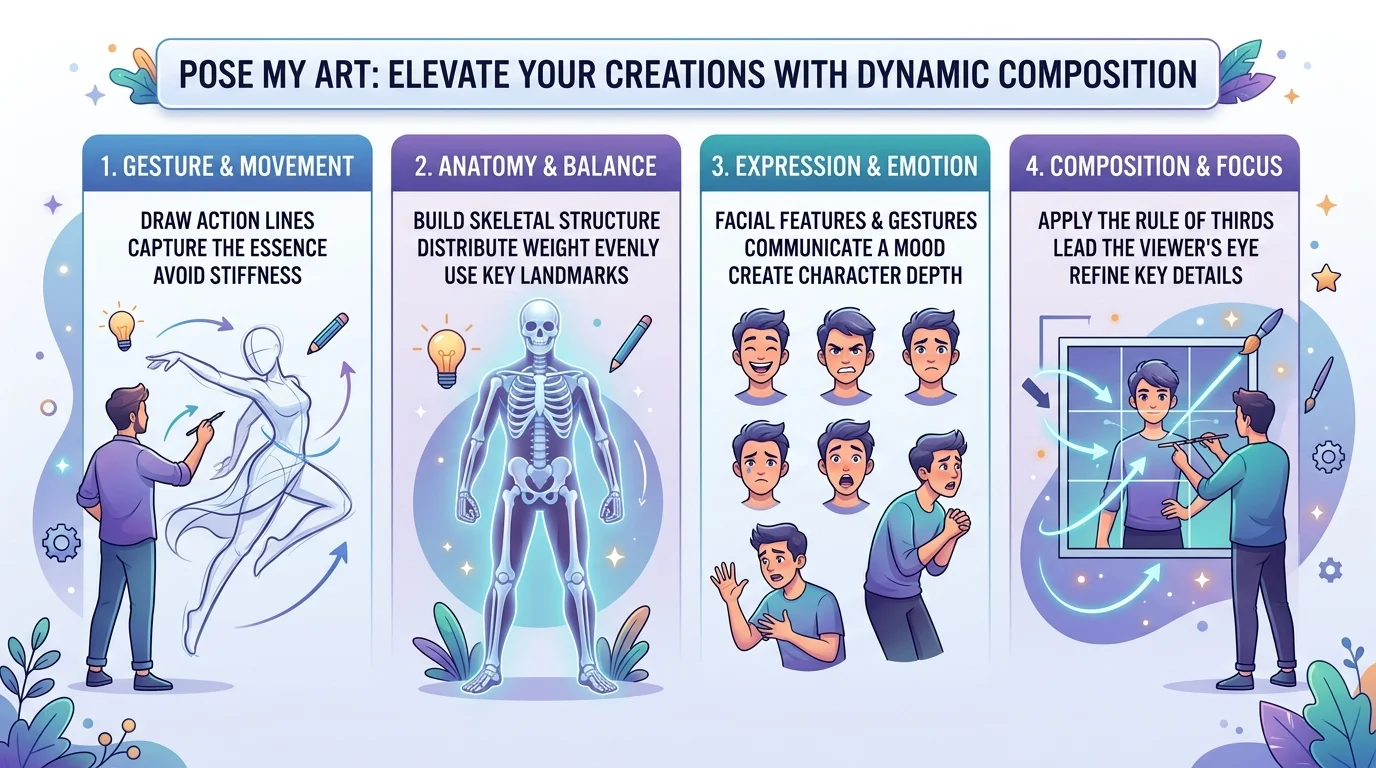
What Is a Pose Reference Tool
A pose reference tool is software that lets you view a human or animal figure from any angle, in any pose, without needing a live model or a photoshoot. Pose My Art is a leading example of this category. It works as a 3D figure posing tool, meaning you manipulate a digital mannequin instead of hunting through stock photos that never quite match what you had in mind.
Here is the real problem it solves. Traditional reference hunting eats time. You search, you scroll, you settle for “close enough.” A proper pose reference generator flips that entirely. You build the exact pose, from the exact angle, in under a minute. That is a huge win for anyone doing gesture drawing or anatomy reference work, since precision matters more than luck when you are studying how a body actually moves.
Key Features: Everything You Get in One Posing Studio
So what is actually packed into this figure drawing app? Quite a lot, honestly. The table below breaks down the core numbers so you get a quick sense of scale before we dig into each feature.
| Feature | What It Offers |
|---|---|
| Pose Library | 6,000+ premade poses |
| Model Library | Realistic figures, anime models, poseable animals |
| Prop and Scene Library | Thousands of ready-to-use scenes and objects |
| Mocap Animations | 2,400+ motion-captured sequences |
| Export Formats | OpenPose, Depth map, Canny, Normal map, standard image |
These numbers matter because they represent time saved. Every pose you do not have to build from scratch is time you get back for actual drawing. That is the whole promise of Pose My Art: one online tool, replacing five browser tabs of scattered reference photos. If you also lean on AI tools for parts of your creative process, it is worth seeing how these fit alongside broader AI tools built specifically for designers automating other parts of visual work.
Instant Pose Library — 6,000+ Ready-to-Use Poses
With over 6,000 options, the pose library inside this app covers nearly every scenario an artist could need. Action poses, quiet sitting poses, dynamic fight scenes, casual standing poses. It is all there, sorted and ready to load. You click once, and the figure snaps into position. No manual rigging required.
This matters most for dynamic poses and action poses, the kind that are notoriously hard to imagine correctly from memory. A boxer mid-punch. A dancer mid-leap. Getting the weight distribution right by guessing rarely works. Loading an actual posed model does. This is where a genuine pose reference tool earns its keep, turning guesswork into precision with barely any effort on your end.
Full Model & Character Library for Every Story
Poses are only half the equation. You also need the right figure to put them on, and that is where the character model library comes in. Realistic figures, stylized anime models, and even poseable animals all sit inside the same tool, ready to swap in and out.
That swapping feature is genuinely clever. Load one pose, then instantly switch the model underneath it, from a realistic human to a simplified mannequin. This is fantastic for structural study, where the goal is understanding mass and volume rather than surface detail. Illustrators building a character design reference sheet can pose one figure, then test it across three or four different body types in minutes, something that would take hours with traditional photo reference.
Hands, Props, and Scene-Building Tools
Hands are the bane of every artist’s existence, and Pose My Art was clearly built with that pain in mind. Its hand reference library removes the tedious joint-by-joint fiddling that normally makes hand posing such a slog. Pick a gesture, drop it onto your figure, done.
Pair that with the prop library, and suddenly you are not just posing a figure, you are building a whole scene. A coffee cup, a park bench, a sword, a car door. These small details give context that a bare pose never could. Think of it like set dressing for a photograph. The pose is your actor, and the props are everything that makes the shot feel real rather than staged in a void.
Mocap Animations: Natural Movement, Frame by Frame
Static poses are useful, but movement tells a different story entirely. That is exactly what the motion capture (mocap) animations feature adds to the mix. With 2,400 plus recorded sequences, you can scrub through real human motion frame by frame and pause on the exact instant you need.
Why does this matter so much? Because real movement includes micro-moments a still pose simply cannot fake. The slight lean before a jump. The follow-through after a swing. Capturing that authenticity is nearly impossible by imagination alone, but a proper mocap library hands it to you already recorded and ready to study, frame by frame, at your own pace.
Camera, Lighting, and Composition Control
Once your pose is set, the next question is how you frame it. Camera control inside Pose My Art includes full Field of View (FOV) adjustment, letting you create anything from a subtle portrait angle to an exaggerated, dramatic close-up. This single feature turns a flat pose into genuine visual storytelling.
Lighting matters just as much as camera angle. Directional lighting control lets you place your light source anywhere, instantly generating shadows and highlights across the model. That is essential information for understanding form. You can also drop in your own reference images as a controllable backdrop, which is a small but brilliant touch for checking perspective and making sure your figure actually fits its intended environment.
Import, Export, and Software Compatibility
A pose reference tool is only as useful as what you can do with it afterward, and this is where Pose My Art quietly outperforms most competitors. You can export posed figures directly as an OBJ file, ready to bring into proper 3D software like Blender or ZBrush for sculpting and base modeling. That skips an enormous chunk of tedious base mesh setup most artists dread, similar to how artists save time when they transform pencil sketches into clean vector files instead of retracing everything by hand.
Export options go even further. Need your reference in a specific format for AI art workflows or digital painting? The table below covers what is available.
| Export Format | Common Use Case |
|---|---|
| OpenPose | Skeleton reference for AI image generation |
| Depth map | Value and distance reference for shading |
| Canny | Edge-detection line reference |
| Normal map | Surface detail and lighting reference |
| Standard image | Direct drawing reference |
On top of exporting, you can also import your own OBJ file assets, meaning custom props or environments slot right into your scene. And because this is a browser-based webapp, it runs across Chrome, Safari, and Firefox, on Windows, Mac, Linux, Android, and iOS alike. Genuinely cross-platform, with nothing to install. Artists who rely on other browser-based utilities alongside their posing workflow, like the best pencil vectorizing tools artists currently use, will feel right at home with this setup.
Free, Online, and Easy to Use — Getting Started
Here is the best part. Pose My Art costs nothing to use. It runs entirely as a free online tool, no subscription, no download, no account wall blocking the good features. You open the site, load a pose, and you are drawing within a minute.
Getting started really is that simple. Pick a model, apply a pose or dive into the mocap library for movement, adjust your camera and lighting, then start sketching straight from the screen. Whether you are a total beginner or a working illustrator refining a character design reference sheet, Pose My Art removes every barrier between “I need a reference” and “I have exactly the reference I need.” Once your art is finished, artists thinking about where to sell prints later often check guides like this honest review of Society6 for artists before publishing their work anywhere.
Frequently Asked Questions
Is Pose My Art free?
Yes, it is completely free with no paywall on its core posing, library, or export features.
Is Pose My Art safe?
Yes, it runs directly in your browser with no required downloads, so there is no installation-related security risk.
What is PoseMyArt?
It is a free, browser-based 3D pose reference tool that lets artists pose digital models for drawing reference.
What does pose mean in art?
In art, a pose refers to the specific position and posture a figure holds, used as a reference for accurate proportions and movement.
Final Thoughts
Finding the right reference used to mean endless scrolling and settling for “close enough.” Pose My Art changes that completely, giving artists a genuine 3D figure posing tool with thousands of poses, a full mocap library, and real export flexibility, all for free. Whether you are studying anatomy, blocking out a comic panel, or just trying to nail one tricky hand pose, Pose My Art puts the exact reference you need just one click away.