
Zorq AI Review 2026: Pricing, Pros & Cons (Is It Legit?)

AI video generation has exploded in 2026, and one name keeps showing up across social feeds: Zorq AI. It’s part of a growing wave of platforms that bundle several generative AI models into a single workspace, letting creators move from a simple text prompt to a finished clip without juggling separate subscriptions.
Instead of locking you into one engine, Zorq AI pulls in tools like Kling, Sora 2, and Seedream, giving you flexibility across image generation, motion control, and lip sync from one dashboard. Before committing any budget, it’s worth understanding how the credit system works, what pricing actually looks like, and whether the platform lives up to the hype.
How we reviewed this: We checked the live pricing pages on every domain currently presenting itself as Zorq AI, read verified App Store and third-party user reviews, and cross-checked feature claims against the platform’s own FAQ pages.
If you’ve spent any time on TikTok or Instagram lately, you’ve probably seen a wave of AI-generated dance clips, talking avatars, and “turn this photo into a video” posts. A lot of that content is coming from one place: Zorq AI, a credit-based platform that lets you generate images and videos using models like Kling, Sora 2, Seedream, and Veo 3.1, all from one dashboard.
This Zorq AI review covers what the tool actually does, what it costs, where real users have run into problems, and something almost nobody else is mentioning: there are multiple competing websites all calling themselves “Zorq AI” with different prices. We’ll sort out what you need to know before you hand over your card details.
Quick answer: Zorq AI is a legitimate AI image and video generation platform that bundles several popular models (Kling, Sora 2, Seedream, Veo 3.1) into one credit-based workspace. It’s genuinely useful if you want fast, multi-model AI video without juggling five separate subscriptions. It’s not a great fit if you want a generous free tier, predictable pricing, or full video editing — credits burn fast, and you’ll still need a separate editor to polish anything you generate.
What Is Zorq AI?
At a basic level, Zorq AI is an AI content creation platform built around one idea: instead of subscribing separately to Kling, Sora, or Seedream, you generate everything from a single account using shared credits. You type a prompt, upload a reference photo if you want one, pick a model, and the platform generates an image or a short video clip in under a minute.
It’s aimed at three main groups: social media creators who need a constant supply of short-form video, marketers who want quick ad variations without hiring a production team, and small studios that want to test a creative direction before committing budget to a full shoot.
The core idea — aggregating several AI models behind one prompt box — isn’t unique to Zorq AI. It’s becoming a common pattern across the AI video space in 2026. What sets any one platform apart is execution: how good the prompt handling is, how the credits actually get spent, and how transparent the pricing is. That’s where this review focuses.
Which “Zorq AI” Is the Real One? Here’s Our Best Answer
Before you sign up, you need to know this, because it genuinely affects whether you overpay or get scammed.
Our recommendation: based on our research, the version at zorqai.io is the one that most consistently and explicitly identifies itself as official, including a direct disclaimer on its own site naming other domains as unofficial. That said, ownership and branding around trending AI tool names can shift fast, so treat this as our best current read, not a permanent fact — verify independently before paying.
We found several different domains all presenting themselves as Zorq AI, including zorqai.com, zorqai.io, and zorq-ai.net. Each one lists different pricing, different credit allowances, and slightly different feature sets. To make things more confusing, on at least one of these sites, the pricing table in the main pricing section and the numbers quoted in its own FAQ section don’t match each other.
What this most likely means is that “Zorq AI” isn’t one single company the way Canva or Adobe is. It looks more like a popular AI-wrapper concept (a thin interface sitting on top of licensed models like Kling and Seedream) that’s been cloned, rebranded, or run by more than one operator chasing the same trending name.
What you should actually do about this:
- Before subscribing, check the URL bar carefully and compare it against whichever site you originally found through search or social media.
- Don’t assume a domain is official just because it ranks well or looks polished.
- If a price looks unusually low compared to what you’ve seen elsewhere, treat that as a reason to slow down, not speed up.
- Use a payment method that gives you dispute protection rather than direct bank transfers.
We’re not saying every version of this product is a scam. Several appear to be legitimate, functioning platforms with real refund policies and customer support. But the lack of one consistent brand identity is itself a trust signal worth knowing about, and it’s the main reason this review leans cautious on pricing specifics below. (See a verified App Store review documenting this and an independent user account of the credit-burn experience for first-hand accounts beyond this review.)
Key Features: What Zorq AI Actually Lets You Do
Regardless of which domain you land on, the feature set across most Zorq AI versions is fairly consistent. Here’s what you’re actually paying for.
AI Image Generation (Text-to-Image)
This is the simplest workflow. You describe a scene, product shot, or character, and the AI generates a still image. Most versions of the platform let you switch between several image models (commonly variations of Seedream and Nano Banana–style engines), choose a quality tier, and generate multiple variations at once.
AI Video Generation (Text-to-Video and Image-to-Video)
This is the headline feature. You can generate a short video clip purely from a text prompt, or upload a still image and turn it into motion. Depending on the version of the platform, you’ll have access to models like Kling, Sora 2, Seedance, or Veo 3.1, each with a different strength — some are better at cinematic camera movement, others at stylized motion or fast turnaround.
Kling Motion Control
This is one of the more genuinely useful tools. Instead of describing motion in words and hoping the AI interprets it correctly, you can use a reference clip or a motion preset (a dance, a turn, a wave) and apply that exact movement to your own subject. For UGC-style content and product demos, this is noticeably more reliable than pure text-prompted motion. If you want to understand what Kling can do outside of Zorq AI’s wrapper, our Kling AI review breaks down the model itself in more depth.
MultiGen (Bulk Generation)
If you’re testing ad creatives or building out a story with consistent characters, MultiGen lets you generate several variations of a prompt at once. This is useful for marketers who need to A/B test multiple visual directions quickly, but keep in mind it still consumes credits per output — it isn’t a free bulk mode.
Lip Sync and AI Voice
Several versions of the platform include a lip-sync tool that matches a generated or uploaded face to an audio track, useful for talking-head explainer videos or AI presenter content. Language support and quality vary by version, so test this with a small credit pack before committing to a bigger plan if this feature matters to you.
How to Create a Video on Zorq AI (Step-by-Step)
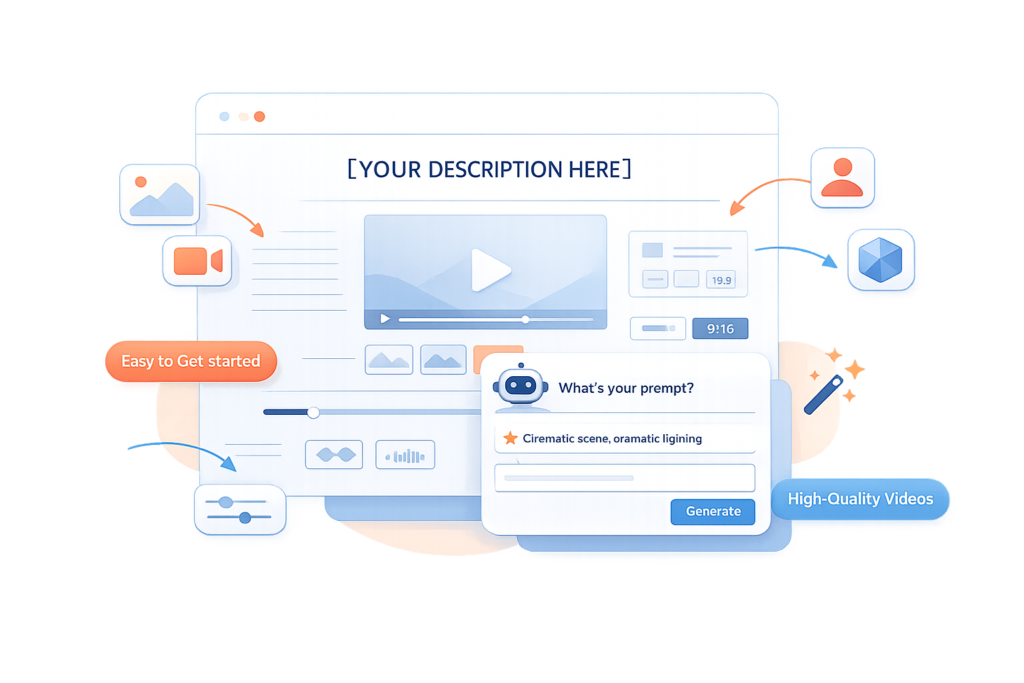
Getting your first generation out doesn’t take long. Here’s the general flow across most versions of the platform:
- Create an account and claim whatever free or trial credits are offered (this varies by domain, so check the homepage).
- Choose your content type — text-to-video, image-to-video, AI image, or motion control.
- Upload a reference image, if your chosen workflow needs one. A clear, front-facing photo with even lighting tends to produce noticeably better results.
- Pick your model. Different models suit different goals — cinematic motion, stylized visuals, or fast/cheap generations.
- Write a specific prompt. Vague prompts produce vague results. Mention style, lighting, camera angle, and action explicitly.
- Set duration and aspect ratio, then generate.
- Review and download. If the result isn’t right, you’ll likely need to spend more credits to regenerate — there’s typically no free retry.
Zorq AI Pricing in 2026: What It Actually Costs
This is where the multiple-domain issue really matters, because pricing varies meaningfully depending on which version of the site you’re looking at. Across the sources we reviewed, monthly entry-level plans ranged from roughly $11 to $16 a month, mid-tier plans from around $26 to $40, and top-tier plans up to $70–$100 a month, with credit allowances that differed just as widely between sites.
Because of that spread, we’re not going to publish a single “official” price table here and risk sending you toward outdated or wrong numbers. Instead, here’s what’s consistent across nearly every version of the platform, and what you should check yourself before paying:
Is There a Free Plan?
Most versions offer a small batch of free or trial credits on signup, typically somewhere between 10 and 150 credits depending on the site, rather than an ongoing free tier. That’s usually enough for a handful of basic image generations or a couple of short video clips, not for ongoing use.
Subscription Plans
Nearly every version follows the same structure: a low-tier “starter” plan, a mid-tier “creator” plan, and a top-tier “pro” or “unlimited” plan, each unlocking more credits, higher resolution output (up to 4K on top tiers), and priority generation queues. Annual billing typically saves around 15–30% compared to paying monthly.
One-Time Credit Packs
Most versions also sell non-expiring, one-time credit top-ups for users who don’t want a recurring subscription. These are a reasonable option if you only need a short burst of generations for a single project or campaign.
How Credits Actually Get Used Up
This is the part that catches people off guard. Credit cost isn’t flat — it scales with the model, resolution, and duration you choose. A basic image generation might cost a handful of credits, while a longer or higher-quality video generation can cost ten to fifty times more. Motion control and lip-sync features generally sit on the higher end of the credit cost range. If you’re not paying attention, a single afternoon of experimenting with premium video models can burn through a monthly allowance fast — this is the single most common complaint we found from real users.
Bottom line on pricing: budget for more than the advertised entry price if you plan to use video generation regularly, and always check the live pricing page right before you buy.
Zorq AI Pros and Cons
Pros
- Multiple top-tier AI models in one place. You’re not locked into a single engine, which genuinely saves money compared to running separate subscriptions for Kling, Sora, and Seedream individually.
- Fast turnaround. Most image generations complete in seconds, and short video clips typically finish within a minute.
- Kling Motion Control is a real differentiator. Transferring motion from a reference clip onto your subject works more reliably than pure text-prompted animation for most use cases.
- MultiGen is genuinely useful for marketers who need several creative variations to test quickly.
- Commercial usage rights are included on paid plans across most versions, which matters if you’re generating content for ads or client work.
Cons
- No meaningful free tier. Free credits are limited and disappear quickly; you’ll need to pay to properly evaluate the platform.
- Credits burn faster than expected. Verified user reports describe running out of credits after only a handful of video generations, with output quality not matching the price paid.
- Inconsistent official identity. With multiple domains claiming to be the “real” Zorq AI and conflicting pricing even within the same site, this is not a brand you can shop for blindly.
- Generation isn’t editing. Once a clip is created, there’s typically no built-in timeline for trimming, adding music, captions, or transitions. You’ll need a separate video editor for that step.
- Face and motion accuracy can be inconsistent, particularly on complex movements or non-front-facing reference photos, sometimes requiring multiple paid re-generations.
- Limited independent reviews. Because the platform (in whichever version) is relatively new, most detailed information still comes from the platform itself or from affiliate-style review sites.
Is Zorq AI Safe and Legit?
This depends heavily on which domain you’re using, which loops back to the point made earlier in this review. The versions we checked generally use standard payment processing, publish privacy policies, terms of service, and refund policies, and don’t show obvious signs of being outright fraudulent.
That said, “legitimate business” and “good value for money” are two different questions. Verified user feedback, including a documented App Store review, describes credits disappearing faster than expected relative to output quality.
Our honest read: treat any version of Zorq AI the way you’d treat any new credit-based SaaS tool. Start with the smallest possible one-time credit pack, test the specific workflow you actually need, and only commit to a monthly plan once you’ve confirmed the output quality justifies the ongoing cost for your use case.
Zorq AI vs the Alternatives
Zorq AI’s main pitch is convenience — multiple models, one dashboard, one set of credits. But it’s worth knowing where it sits relative to other options before you commit a budget to it.
| Tool | Best For | Editing Timeline | Free Option |
|---|---|---|---|
| Zorq AI | Multi-model AI generation in one place | Not included | Limited trial credits |
| Kling AI (direct) | Maximum control over one specific motion/video engine | Not included | Varies by plan |
| Krea AI | Similar multi-model image and video generation, different model lineup | Not included | Varies by plan |
| Magic Light AI | One-click scripted video generation with built-in scene and character consistency | Limited | Varies by plan |
| Veed.io | Polishing and assembling finished videos | Full timeline editing | Yes, with limits |
If your priority is generating raw AI footage from several different models without managing multiple logins, the multi-model approach Zorq AI represents makes sense. Krea AI is the closest direct comparison if you want to test a different model lineup, while Magic Light AI is worth a look if you’d rather work from a script than a single prompt box. If your priority is turning that raw footage into a polished, branded final video, a dedicated editor like Veed.io is what most Zorq AI users end up reaching for afterward.
Real-World Use Cases: Who’s Actually Using Tools Like This
The demand behind tools like Zorq AI isn’t hype — it’s coming from specific, repeatable jobs creators and businesses run every week.
Social media creators and UGC producers. Short dance clips and photo-to-video animations are the most common use case. Motion presets and reference-based motion transfer make it faster to produce a usable first draft than filming your own reference footage from scratch.
Marketing and ad teams. Generating several creative variations of the same concept lets teams test ideas before committing budget to a full production shoot. MultiGen is built specifically for this.
E-commerce sellers. Product visualization without a studio shoot — a single product photo can become a styled lifestyle image or short promotional clip.
Educators and course creators. Lip-sync and talking-head generation can turn a script into an animated presenter video, though output quality benefits from a clean, well-lit reference face.
Indie filmmakers and animators. Testing a motion or camera idea cheaply before investing in full production, or previewing a concept for a client.
In every case, the same pattern holds: AI generation gets you a fast first draft, not a finished asset. The teams getting the most value treat the AI output as raw material and expect a final editing pass afterward.
Who Should (and Shouldn’t) Use Zorq AI
It’s a good fit if you:
- Create short-form social content regularly and want to experiment across multiple AI models without separate subscriptions
- Need quick concept visuals to pitch a creative direction before greenlighting a bigger production
- Want to test several ad creative variations fast using MultiGen
- Already have a separate video editor in your workflow for the final polish
It’s probably not a good fit if you:
- You want a generous, ongoing free plan to experiment before paying
- You need predictable, fixed monthly costs regardless of usage
- You expect a built-in editing timeline, captions, and music in the same tool
- You’re not comfortable double-checking which website you’re actually signing up on
Final Verdict
Zorq AI (in whichever version you land on) solves a real problem: it’s genuinely tedious to manage separate accounts for every AI video and image model on the market. Bundling Kling, Sora 2, Seedream, and similar engines behind one prompt box and one credit balance is a smart concept, and the motion control and MultiGen tools back that up with real functionality.
Where it loses points is transparency. Conflicting domains, inconsistent pricing, and a no-free-tier model mean you have to do more homework before paying than you would with a single, established brand. If you go in with realistic expectations, treat your first purchase as a small test rather than a full commitment, and keep a separate video editor on hand for the finishing touches, Zorq AI can genuinely speed up your content pipeline. Just don’t buy a big annual plan on day one.
FAQs
Is Zorq AI trustworthy?
It’s not an outright scam, but it’s not fully trustworthy either, since multiple unaffiliated websites use the “Zorq AI” name with conflicting prices. Verify the exact domain you’re on before paying.
Is Zorqai free or paid?
It’s mainly paid. You get a small batch of free trial credits on signup, but ongoing use requires a subscription or a one-time credit pack.
Is it possible to ask AI a question?
Yes — modern AI chatbots like ChatGPT, Gemini, and Claude let you type or speak a question directly and get a conversational answer in real time.
What is the free AI that can watch videos and answer questions?
Tools like ChatTube let you paste a YouTube link and ask questions about the video without needing a transcript, with a free option to get started.


