Magic Hour AI: Features, Pricing & Alternatives

Magic Hour AI is a browser-based creative studio that turns text, photos, and short clips into finished videos and images. It bundles more than 100 tools into one login, no camera crew or editing software needed. Whether you want an AI video generator, a quick face swap video, lip sync AI for dubbing, or an AI image generator for original artwork, it lives under one roof. Content creators, marketing teams, and e-commerce brands use it daily to skip expensive production costs. Backed by Y Combinator and used by over 3,511,698 creators, Magic Hour has become one of the most talked-about names in generative AI video production this year. This guide walks through every feature, real pricing, and honest alternatives.
What Is Magic Hour AI?
Think of Magic Hour as a Swiss army knife for content creation. It is not one tool. It is a bundle of over 100+ AI tools, all sitting inside a single dashboard. You get an AI video editor, an AI photo editor, and audio tools without juggling five different subscriptions.
The platform was built for regular people, not just studios. A solo creator making TikTok clips and a marketing team at a Fortune 500 company can both use magic hour ai for very different jobs. That flexibility is exactly why brands like NBA, Meta, and Puma have used it for campaign content, alongside solo indie founders testing their first product demo. You can see the full breakdown of its plans and tools on Magic Hour AI’s tool listing.
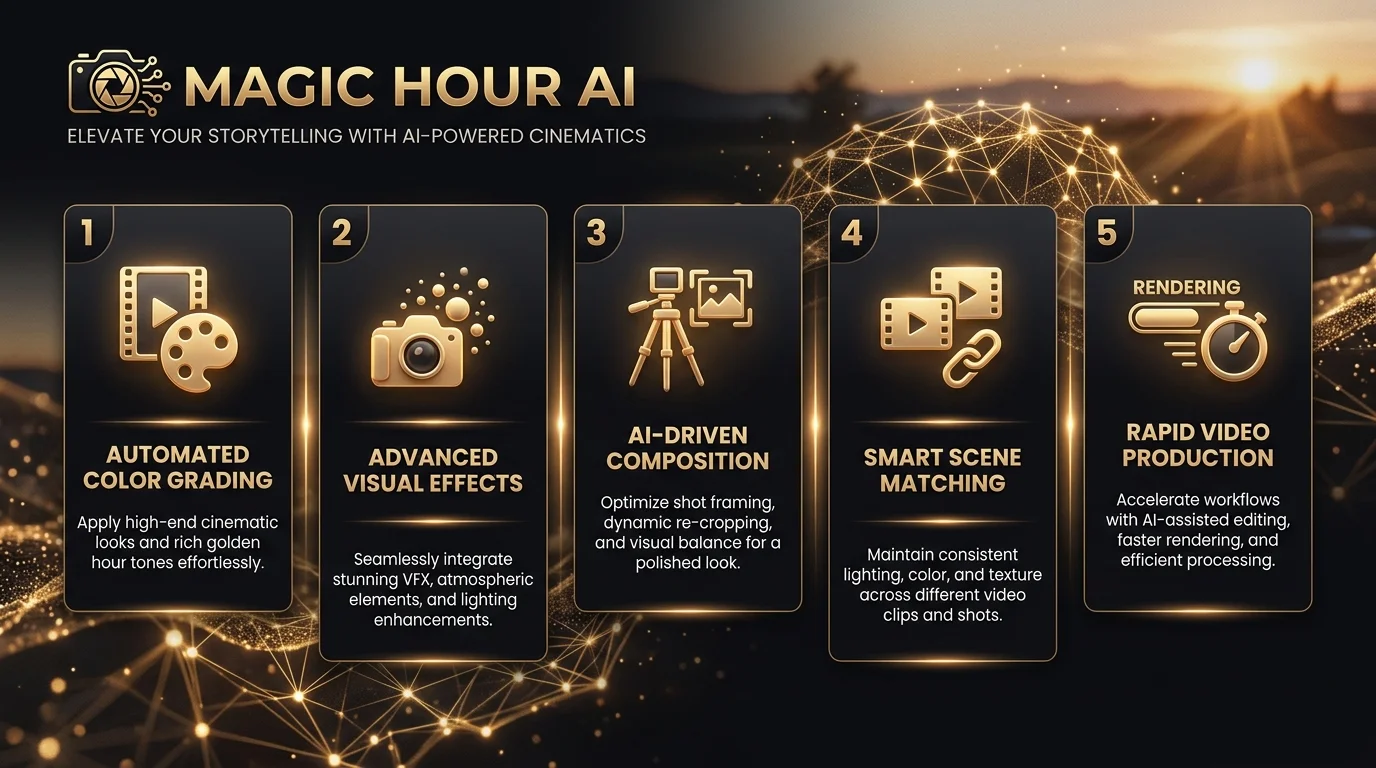
Key Features: Everything You Can Create with Magic Hour
Magic Hour splits its toolkit into three buckets: video, image, and audio. Each bucket solves a specific content problem, and together they cover almost everything a modern creator or brand might need to produce.
Video Tools
The video side is where Magic Hour AI built its name. Face swap video lets you replace a face in any clip while keeping the original motion intact — if you want to see how it stacks up against other options, this guide to the best free AI face swap tools covers several worth trying. Image to video animation takes a still photo and adds camera movement, turning product shots into scroll-stopping ads. The talking photo tool syncs a photo’s mouth to any audio clip, and lip sync AI matches dubbed speech to existing footage, which is a favorite among teams doing localization work. Text to video generates full clips from a written prompt, while video to video and character replace let you swap or restyle existing footage entirely.
Image Tools
On the image side, the AI image generator produces original visuals across hundreds of styles. If you want to compare it against other options first, this roundup of the best AI image generators breaks down the top picks for 2026. The AI image editor lets you edit photos using plain text instructions instead of layers and masks, a similar approach to what’s covered in this Pixlr AI photo and video editor guide. Need a sharper photo? The AI image upscaler fixes blurry or low-resolution shots. There is also an AI headshot generator for professional portraits (see how it compares in this HeadshotPro AI headshot generator guide), an AI clothes changer for virtual try-ons, and an AI GIF generator for quick, shareable loops.
Audio and Extra Tools
Beyond video and images, Magic Hour includes voice cloning, a voice generator, a subtitle generator, a background remover, body swap and head swap tools, a photo colorizer, a QR code generator, and a storyboard generator. Few competitors bundle this much range into a single subscription.
| Category | Example Tools |
|---|---|
| Video | Face swap video, image to video, talking photo, lip sync AI, text to video |
| Image | AI image generator, AI image editor, AI image upscaler, AI headshot generator |
| Audio | Voice cloning, voice generator, subtitle generator |
| Utility | Background remover, QR code generator, storyboard generator, photo colorizer |
How Magic Hour Works: Step-by-Step Walkthrough
Getting from an idea to a finished export usually takes under a minute of active work. That is the whole pitch behind magic hour ai: speed without a learning curve.
First, you pick a tool or browse the template library, which has more than 10,000+ templates sorted by platform and style. Next, you upload an image, a video clip, or simply type a prompt describing what you want. Then you adjust the style settings, whether that is camera motion for image to video, or a voice choice for lip sync AI. Hit generate, and the platform’s parallel generations feature lets you queue multiple versions at once instead of waiting in a single line. Once your result is ready, you preview it and export in HD video export, with some tools supporting 4K visuals and full cinematic scene generation.
The whole flow uses a drag and drop editor, and one-click workflows mean you rarely touch more than three buttons before hitting export.
Magic Hour Pricing & Free Plan: Is It Really Free?
Yes, Magic Hour genuinely offers a usable free tier. You get free daily credits with no sign-up required just to try the core tools, which is rare among competitors that gate everything behind an account wall.
Once you want more volume, paid plans kick in, generally landing in the ten-to-fifteen-dollar-a-month range for serious use. The credits system is what powers every generation, and unlike many SaaS tools, rollover credits carry forward month to month instead of resetting to zero. Credits are also refunded automatically if a generation fails, which is a small detail that builds real trust. That said, free-tier exports sometimes carry watermarks, and very high-resolution renders may require a paid plan. This transparency around limits is something most competitor pages simply skip over.
Who Uses Magic Hour
The platform’s user base is wider than most people expect, spanning six distinct groups with very different goals.
Content creators use face swap and talking photo tools to make shareable social clips without filming anything new. Marketing teams lean on image to video and lip sync to localize campaigns across regions fast. E-commerce brands generate product photography and try-on visuals without booking a studio shoot. Agencies and studios use the tools to personalize content at scale for client campaigns, sometimes powering live activations, like the anime-style hype video the Dallas Mavericks created courtside at American Airlines Arena. Developers plug the API directly into their own apps, and educators and students use text-to-video to build explainer content for the classroom.
Magic Hour for Developers: API & SDKs
Developers get a REST API with official SDKs for Node, Python, Go, and Rust, so integration rarely takes more than an afternoon. A single API call can trigger an image to video job, and most teams are authenticated and generating within sixty seconds of installing the SDK.
Scaling is built in from day one. Magic Hour advertises a 99.9% uptime SLA and usage-based pricing, meaning you pay for what you actually generate rather than a flat developer tax. That structure works whether you are sending ten requests a day or ten million, which matters for agencies and studios running client-facing tools on top of the platform.
Magic Hour vs. Competitors (Pollo AI, Revid AI, Runway)
No tool is the right fit for everyone, so an honest comparison matters more than a sales pitch.
| Platform | Core Strength | Best For | Notable Limitation |
|---|---|---|---|
| Magic Hour | Broad toolkit, 100+ tools in one plan | Fast, low-cost, wide variety of jobs | Outputs sometimes need extra polish |
| Pollo AI | Multi-model integration with Veo and Kling AI, plus Pollo Agent for full auto-editing | Publish-ready, structured campaign videos | Higher cost for advanced models |
| Revid AI | Short-form, auto-generated social videos | TikTok and Reels-style content | Narrower focus, less tool variety |
| Runway | High-end cinematic generation | Professional film and VFX work | Steeper learning curve, pricier |
Magic Hour wins on breadth and price. If you need one platform to do face swap, GIFs, headshots, and video generation without five separate bills, it is hard to beat. Pollo AI, with its Trustscore of 4.4 across thousands of reviews, pulls ahead when you need a more automated, agency-grade finished product using models like Veo and Kling AI — read this Kling AI review guide if you want to evaluate that model on its own. Neither platform is objectively “better.” They solve different problems.
Pros and Cons of Magic Hour: Real User Feedback
Real user sentiment tells a more balanced story than any marketing page. On the founder’s original launch post in r/SideProject, one early user summed it up simply: it works well but is not a full editing suite on its own. Other users on r/aivideomaking and r/socialmedia echo that the tools save serious time, particularly for creators without editing experience.
The complaints are worth naming honestly too. Some free-tier users report running out of credits faster than expected during heavy testing. A thread in r/antiai also raised a real concern: someone said their employer created an AI video of them for marketing without asking first. That is not a Magic Hour-specific problem, but it reflects a genuine industry-wide conversation around AI ethics and consent that anyone using face swap or talking photo tools should think about before publishing.
Testimonials collected on Magic Hour’s own site paint a more positive picture. Long-time users like Louis Brody, a veteran of the film and TV industry, and Gary Carter, a hobbyist creator, both describe sticking with the platform after trying competitors. Industry voices including Bill Tai, Akshay Ram, and Aaron Miller have also publicly shared Magic Hour-generated content, often tied to sports and entertainment branding work involving teams like the NBA.
Tips to Get the Best Results from Magic Hour
Small adjustments in how you use the platform tend to produce noticeably sharper output. Being specific in your prompt, rather than vague, is the single biggest lever for quality.
When writing prompts for text to video or image to video, describe lighting, camera angle, and mood instead of just naming a subject. Starting from the template library instead of a blank canvas also saves time and usually produces more polished results, since templates already account for platform sizing and pacing. For face swap or talking photo work, use a clear, well-lit reference photo; blurry inputs are the most common reason results look off. Finally, run a couple of parallel generations with slightly different prompts rather than accepting the first output, since small wording changes can shift quality significantly.
Frequently Asked Questions
What is Magic Hour AI?
Magic Hour AI is an all-in-one platform offering over 100 tools for creating and editing AI videos, images, and audio, including face swap, lip sync, and text-to-video generation.
Is Magic Hour AI free to use?
Yes. Magic Hour offers free daily credits with no sign-up required for basic use, though heavier usage and higher-resolution exports require a paid plan.
How does the AI video generator work?
You upload an image or type a prompt, choose a style or template, then the AI generates a video clip you can preview and export in HD or 4K.
Can I use Magic Hour AI for commercial projects?
Yes, paid plans generally allow commercial use, though it is worth checking the current terms of service for any project-specific restrictions before publishing client work.
Does Magic Hour AI have an API for developers?
Yes. It offers a REST API with SDKs for Node, Python, Go, and Rust, backed by a 99.9% uptime SLA and usage-based pricing for scaling.
Final Thoughts
Magic Hour AI earns its reputation as one of the broadest AI creative platforms available today. It bundles video, image, and audio tools that would otherwise cost five separate subscriptions, backed by a genuinely usable free tier and a developer-friendly API. It is not flawless, and some outputs need extra polish before publishing. But for creators, marketers, and developers who want speed without complexity, magic hour ai remains one of the smartest starting points in 2026.